How to upgrade the firmware of SVCI 2020? In this post, you will find the answer.
Here are the steps:
1.Click “SVCI 2020” button>> “Update firmware”.
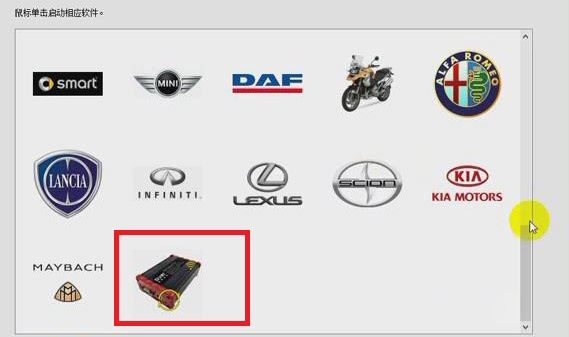
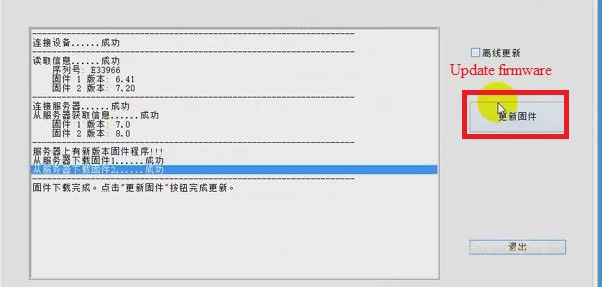
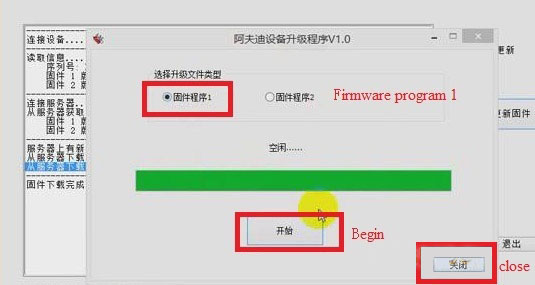
2.Choose “Firmware Program 2” and click “Begin”. Then Firmware Program 2 will be downloaded.
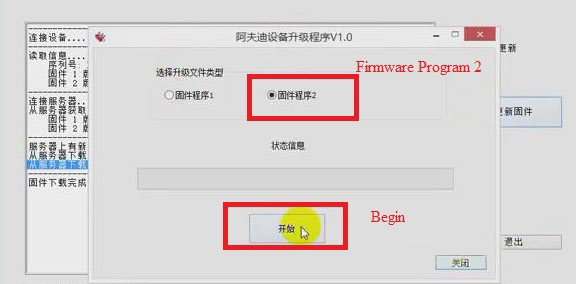
3.When the downloading of firmware program 2 is successful, click “Confirm”, and choose “Firmware program 1” and click “Begin”.Then firmware program 1 will be downloaded.
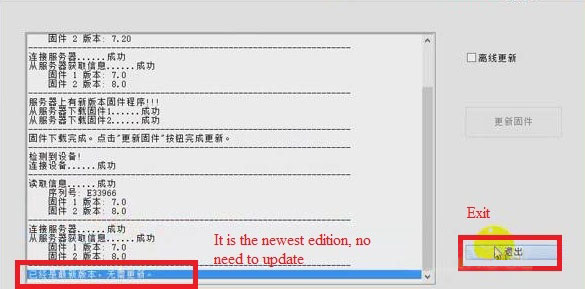
4.When the downloading of firmware program 1 is successful, click “Confirm”.
5.Click “Close”, now we can see that the firmware has been updated to the newest. Then click “Exit”.
Job is done!

No comments:
Post a Comment