Monday, February 21, 2022

How to Solve SVCI 2020 QuickLoader.exe-System Error

Problem:

I have recently purchased an SVCI 2020 (FVDI 2020 clone) hardware.
It came with an installation DVD. I installed the application and 2010 2012 C++ redistributable packages but every time that I want to use the application I receive this message:

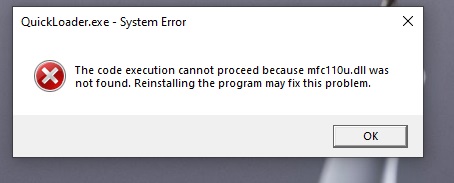
“QuickLoader.exe-System Error
The code execution cannot proceed because mfc110u.dll was not found.”

When I go to my Windows\System32 folder the mfc110u.dll file is there but I keep receiving the error that the file was not found!

Reinstallling the program may fix this problem.

I appreciate any help to fix this annoying issue.

Solution:

Go to patch folder, install all 4 exe. and should work.

Feedback:
Thanks. It worked.

Monday, February 14, 2022

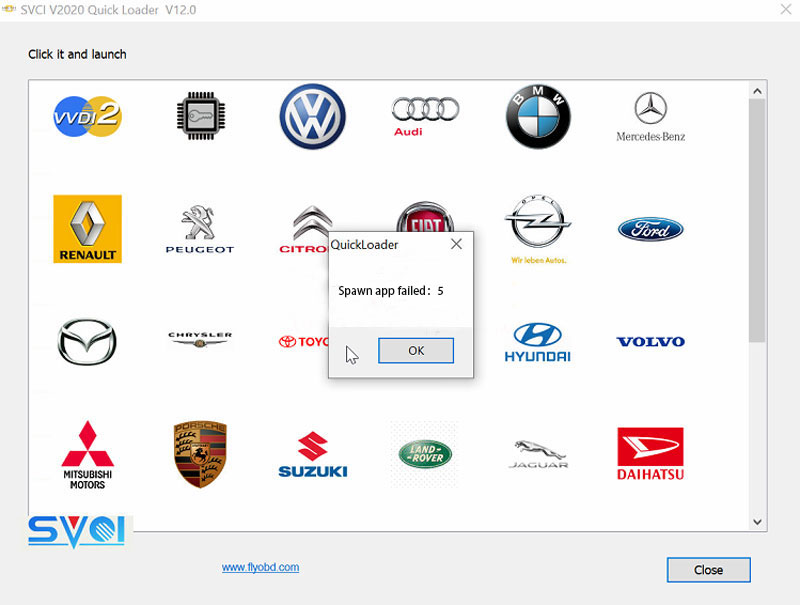
How to Solve SVCI 2020 “Spawn app failed 5” Installation Error

Problem: I was not able to run SVCI 2020 software after installation. There seems to be something wrong in driver. It’s said “Spawn app failed: 5”.
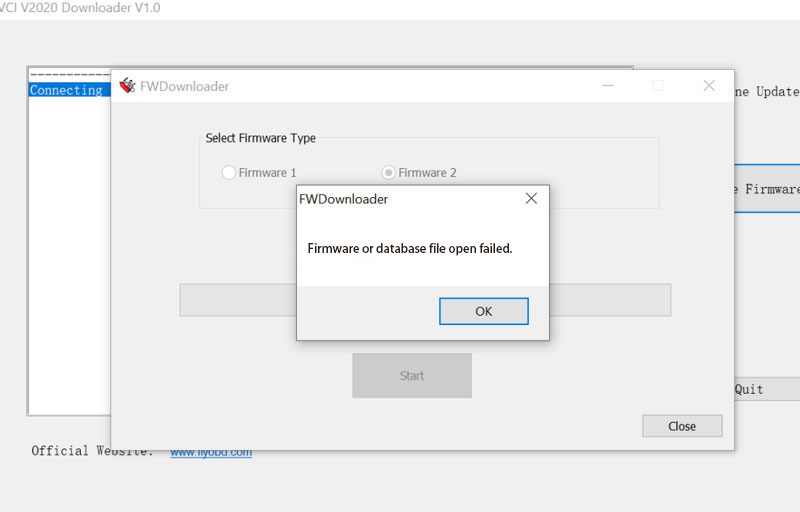
“Firmware or database file open failed.”
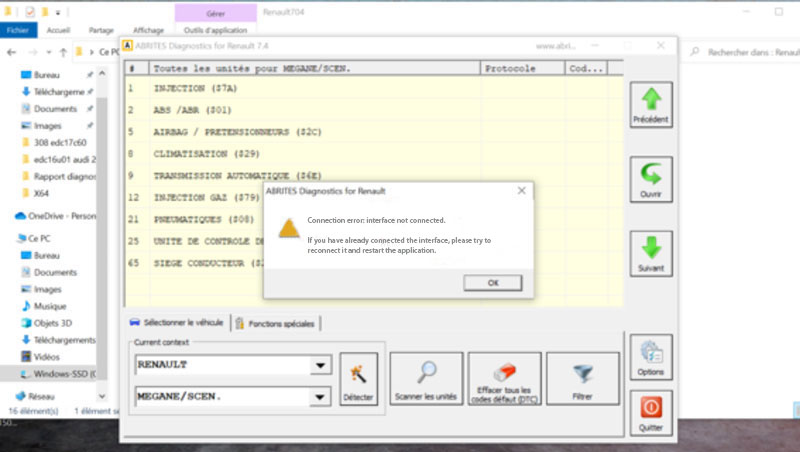
“Connection error: interface not connected. If you have already connected the interface, please try to reconnect it and restart the application.”

What’s the problem, give me an idea?
How-to-Solve-SVCI-2020-“Spawn-app-failed-5”-Installation-Error-1
How-to-Solve-SVCI-2020-“Spawn-app-failed-5”-Installation-Error-2
How-to-Solve-SVCI-2020-“Spawn-app-failed-5”-Installation-Error-3

Solution
The reason why caused the issue is that SVCI Software files were deleted by a firewall or antivirus program during installation. Reinstall or change a PC to install can solve the problem. Remember to stop firewall & antivirus software before SVCI installation to avoid it.

Follow the fixed methods to solve the problem:
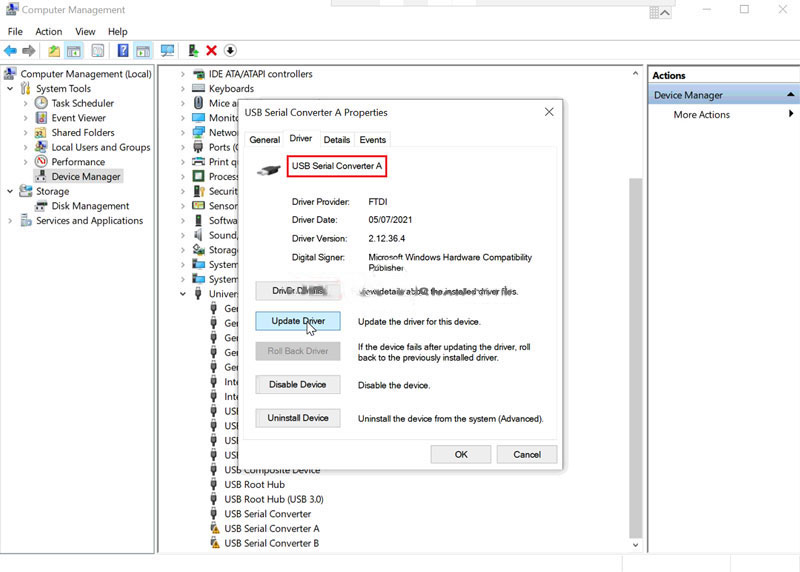
1. Update Driver
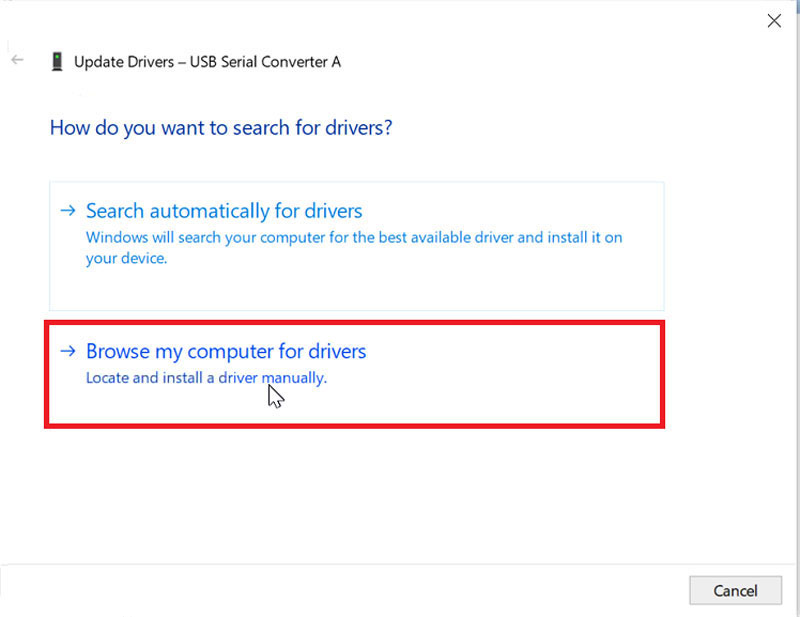
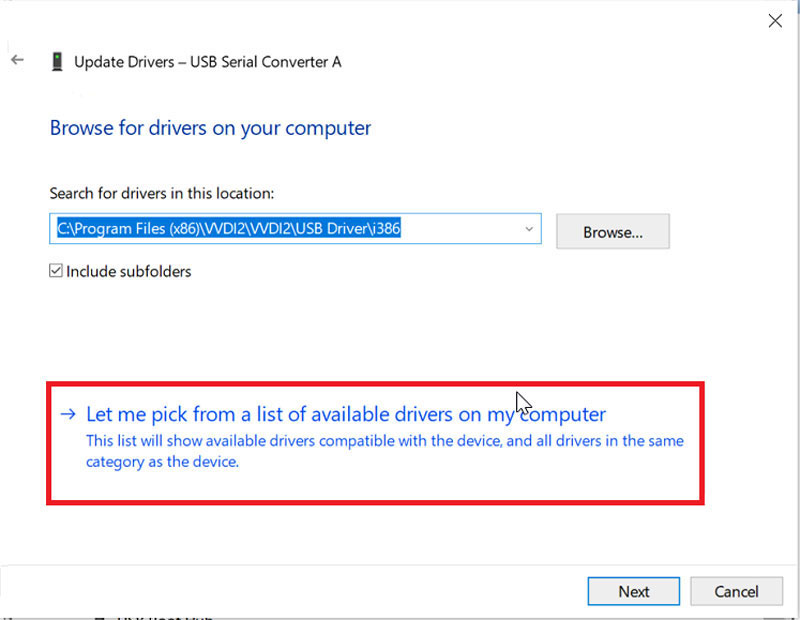
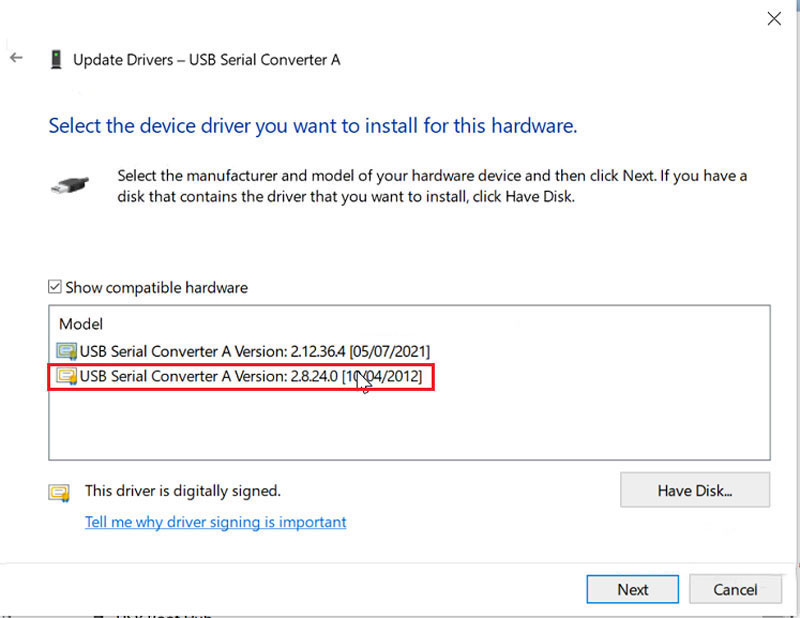
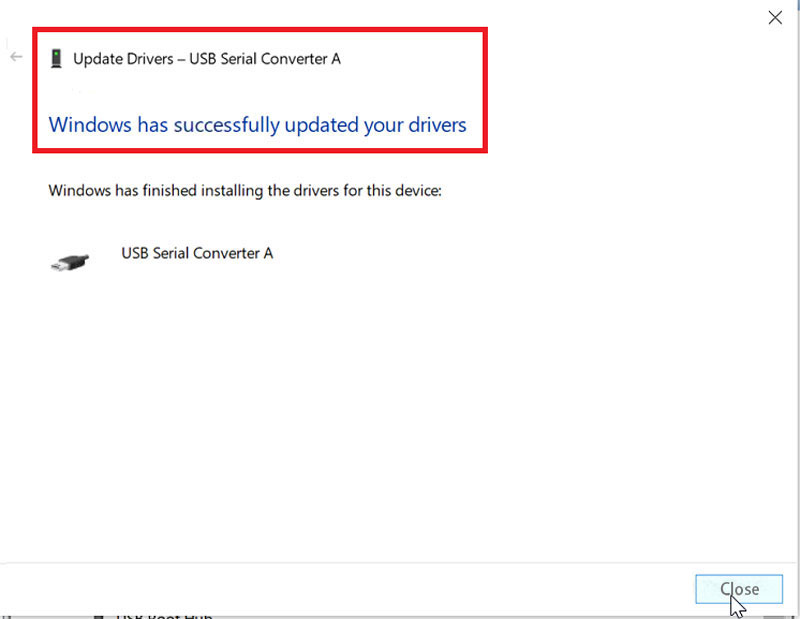
Computer management >> Device Manager >> Universal Serial Bus Controllers >> USB Serial Converter A >> Driver >> Update Driver >> Browse my computer for drivers >> Let me pick from a list of available drivers on my computer >> USB serial Converter A version: 2.8.24.0 [10/04/2012]

How-to-Solve-SVCI-2020-“Spawn-app-failed-5”-Installation-Error-4
How-to-Solve-SVCI-2020-“Spawn-app-failed-5”-Installation-Error-5
How-to-Solve-SVCI-2020-“Spawn-app-failed-5”-Installation-Error-6
How-to-Solve-SVCI-2020-“Spawn-app-failed-5”-Installation-Error-7
How-to-Solve-SVCI-2020-“Spawn-app-failed-5”-Installation-Error-8

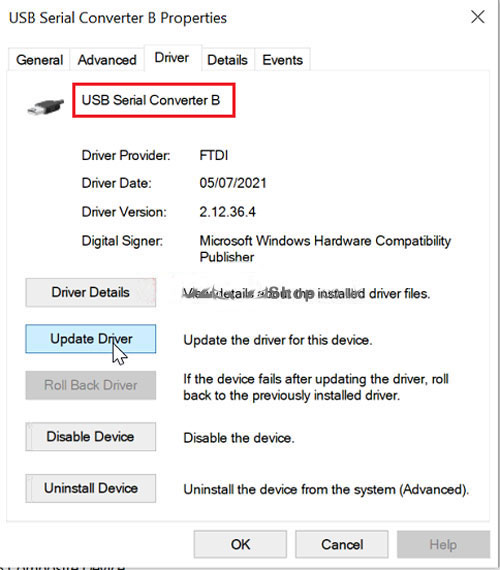
USB Serial Converter B >> Driver >> Update Driver >> Browse my computer for drivers >> Let me pick from a list of available drivers on my computer >> USB serial Converter A version: 2.8.24.0 [10/04/2012]
How-to-Solve-SVCI-2020-“Spawn-app-failed-5”-Installation-Error-9

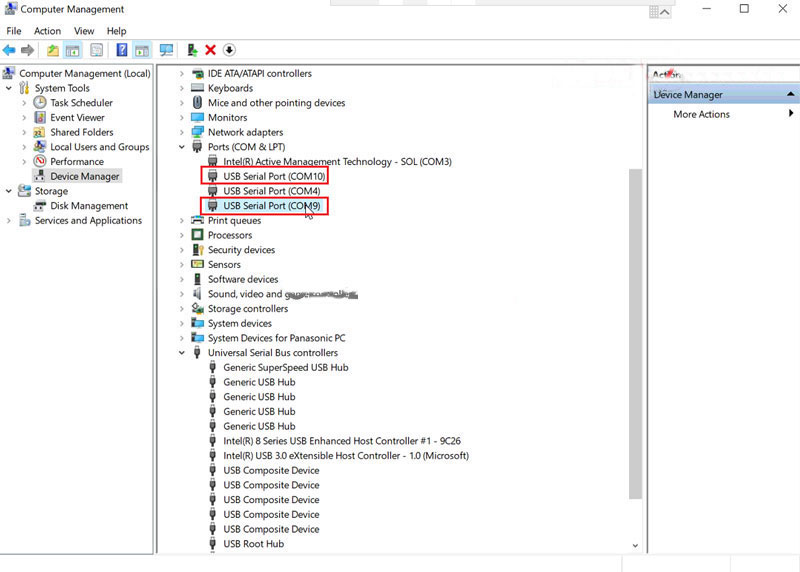
Ports (COM & LPT) >> USB Serial Port (COM9) >> Driver >> Update Driver >> Browse my computer for drivers >> Let me pick from a list of available drivers on my computer >> USB serial Converter A version: 2.8.24.0 [10/04/2012]

Ports (COM & LPT) >> USB Serial Port (COM10) >> Driver >> Update Driver >> Browse my computer for drivers >> Let me pick from a list of available drivers on my computer >> USB serial Converter A version: 2.8.24.0 [10/04/2012]

How-to-Solve-SVCI-2020-“Spawn-app-failed-5”-Installation-Error-10

2. Update Firmware
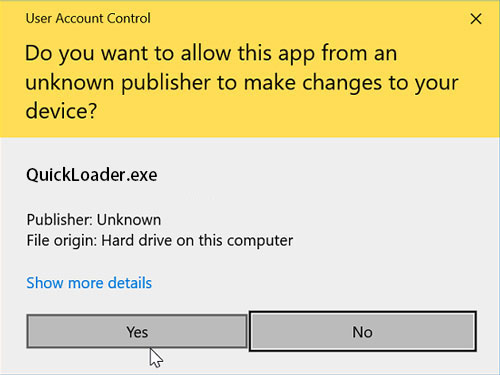
ABRITES QUICK START >> Click “Yes” to allow the app

How-to-Solve-SVCI-2020-“Spawn-app-failed-5”-Installation-Error-11
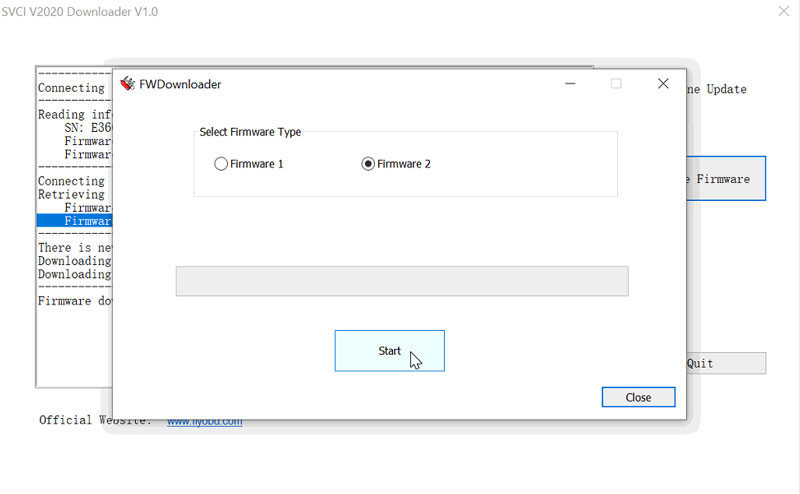
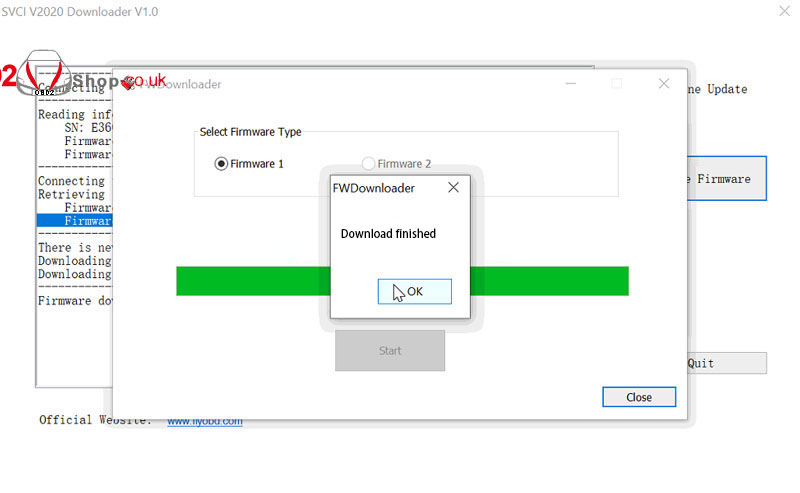
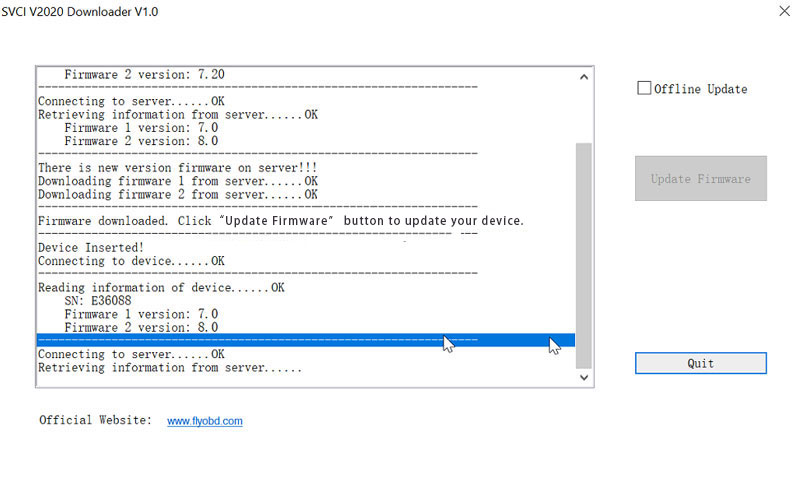
Start SVCI 2020 downloader >> Update Firmware >> Start(default option: Firmware 2)
Wait until download finished.
Selected “Firmware 1 >> Start”.
Wait until downloading finished.
Wait connecting to device…
Done.

How-to-Solve-SVCI-2020-“Spawn-app-failed-5”-Installation-Error-12
How-to-Solve-SVCI-2020-“Spawn-app-failed-5”-Installation-Error-13
How-to-Solve-SVCI-2020-“Spawn-app-failed-5”-Installation-Error-14
SVCI 2020 can normally work now.
* All vehicle software are workable except VW AUDI V38.1.
Friday, February 11, 2022

How to Solve SVCI 2020 License Missing Warning


Problem
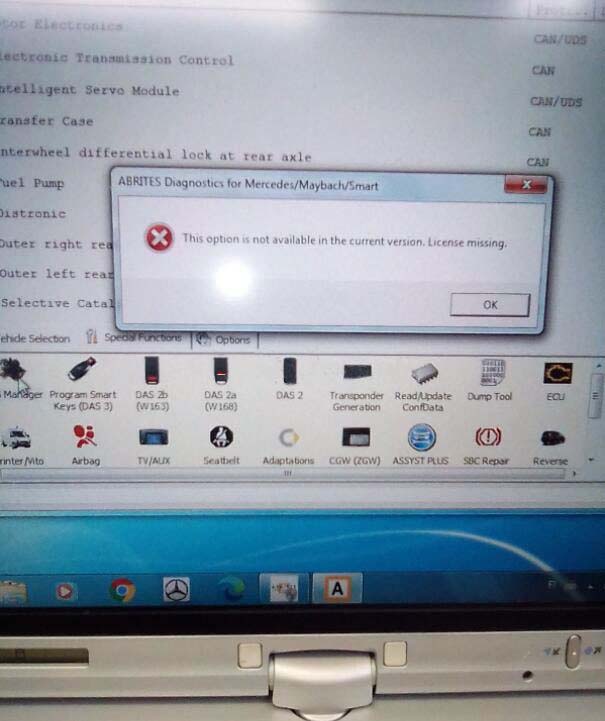
Each time when I was opening SVCI 2020 Software to start DAS manager, it always came out a warning: “This option is not available in the current version. License missing”. Any ideas? Please help.

How-to-Solve-SVCI-2020-License-Missing-Warning

Solution
The reason why this warning coming out is because of the incorrect SVCI version. Please download SVCI 2020 V12.0 version, then update firmware.

Free download SVCI 2020 V12.0
https://mega.nz/file/Z8hGjQDK#bRwvtu0kROC0l2YP051lN_Lbqozu34tEYt8DiRu6nQs