Sunday, March 7, 2021

Solved! SVCI 2020 ABRITE Commander Software License Missing

Device: SVCI 2020 ABRITE Commander
Car Model: Skoda Fabia 1.2 2005; Citroen Jumper 2.0 2012
Problem Description:
Failed to read IMMO, CONF data, mileage and SRS, showing the license was missing.
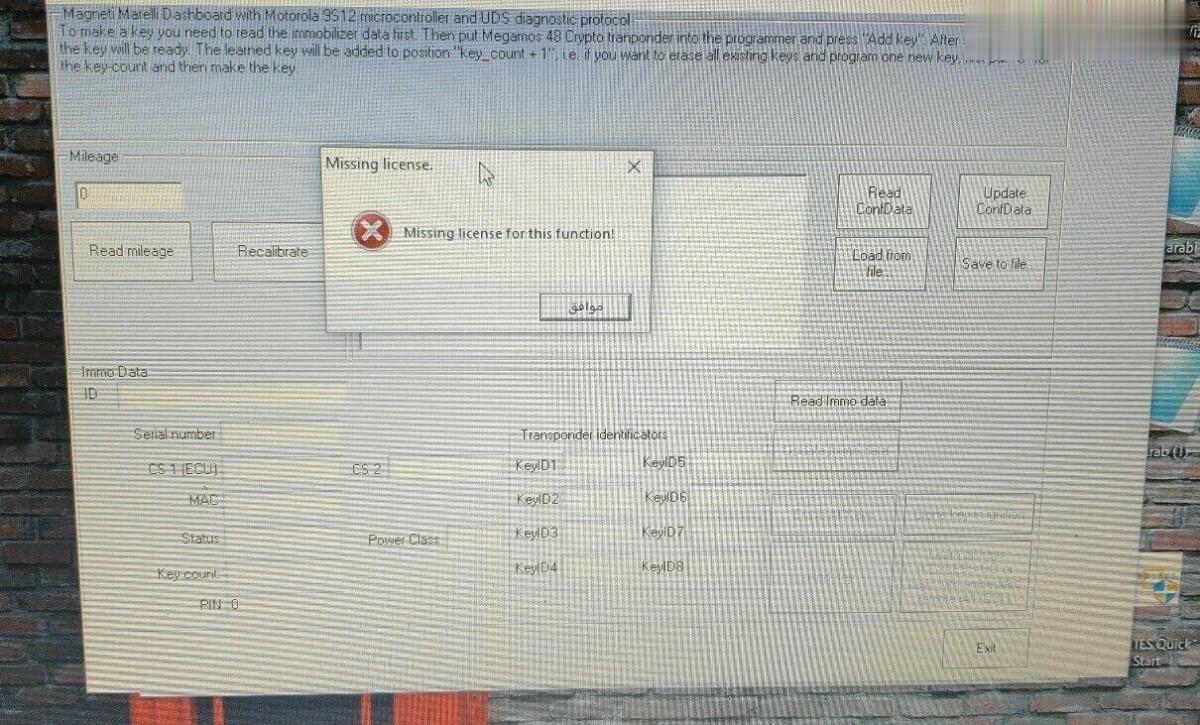
Solution to SVCI 2020 software license missing:
Step 1: Open the SVCI 2020 installation directory.
Step 2: Enter “C: Program Files (x86)\Abrites Commander Software List\Common2\” directory and copy VW folder/Citroen folder to “C: Program Files (x86)\Abrites Commander Software List\Common\” directory.

The solution is also applicable to the following situations (just change the folder to be copied based on your car model):
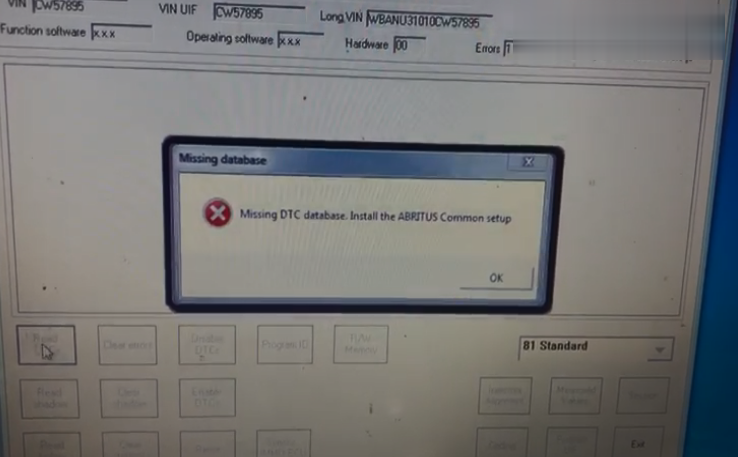
Situation 1: When you open the Abrites commander BMW v10.4/v10.5 software with SVCI2020/SVCI2019 device, the following error will be reported when reading the DTC functions.
Situation 2: When you want to program the radio eg function with BMW software, it will appear the error information like below figure.
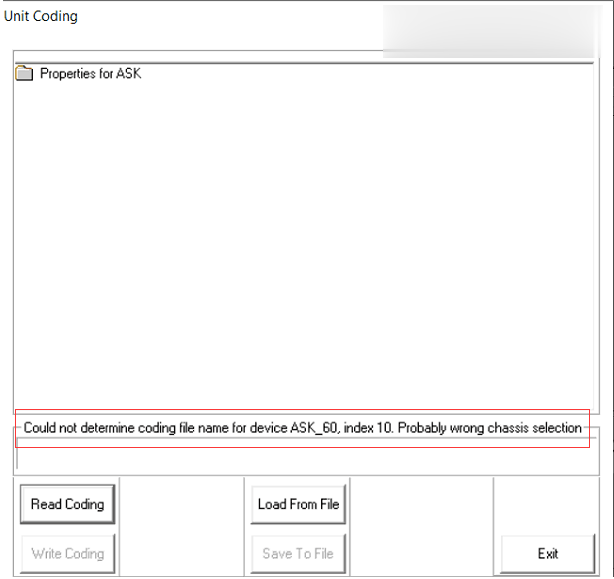
Solution:
Step 1: Open the SVCI2020 installation directory
Step 2: Enter “C: Program Files (x86)\Abrites Commander Software List\Common2\ ” directory and copy BMW folder to “C: Program Files (x86)\Abrites Commander Software List\Common\” directory.

Friday, March 5, 2021

Compare Nissan Consult-3 III Plus with SVCI ING Nissan/Infiniti/GTR Diagnostic and Programming Tool

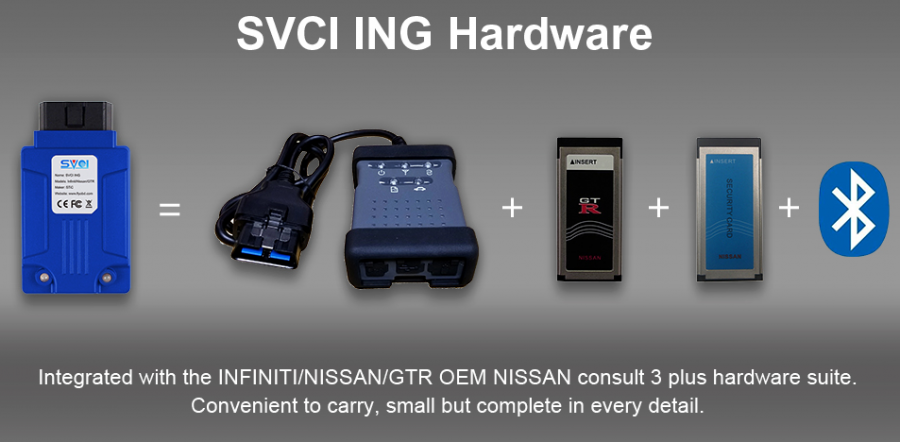
SVCI ING= Consult III Plus + Security Card + GTR Card + Bluetooth 4.0


SVCI ING Nissan Scanner:

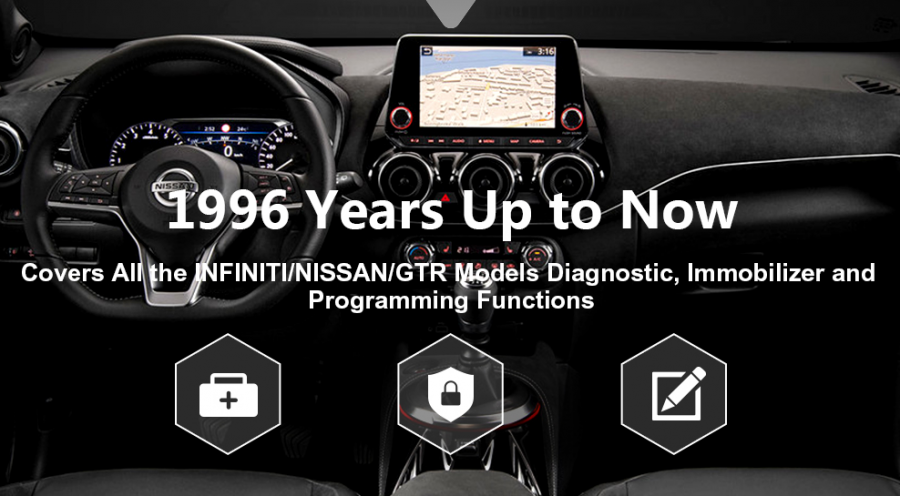
  1. Support all the INFINITI NISSAN GTR models diagnostic, immobilizer and programming functions from 1996 up to now.
  2. Improve 500 % speed for programming modules than OEM Nissan Consult 3 Plus
  3. More stable and zero mortality for modules programming
  4. Support USB power supply and Bluetooth v4.0 connection.
  5. Build-in security card and GRT card functions, immobilizer bypass password.
  6. Provide mobile android software and Windows software (BAOCHI cloud diagnostic)
  7. Language:  English, Japanese and Chinese


SVCI ING Nissan Scanner VS Nissan Consult-3 III Plus

Item SVCI ING Nissan Scanner Nissan Consult-3 III Plus
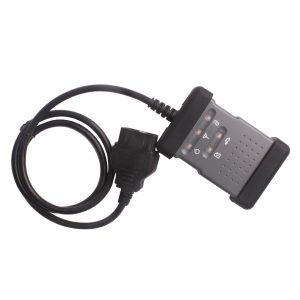
IMG
Price US$158.00 US$539.00 including shipping
Language 4 languages available: English, Japanese, Simplified Chinese and Traditional Chinese 11 languages available: English, French, German, Spanish,  Italian, Japanese, Russian, Finnish, Greek,  Chinese, Portuguese
Programming times About 3 minutes About 15 minutes
Programming mortality 0% 0%>
Immobilizer functions Immobilizer bypass password Immobilizer with  password
Security card functions Build-in Security card functions Need to purchase
GTR card functions Build-in GRT card functions Need to purchase
Support the model years 1996 years up to now 1996 years up to now
Mobile android software Contains Null
Bluetooth Contains Contains
Software update Automatic online upgrade Uncertain update (update free by download link)


Thursday, March 4, 2021

How to solve the error “Interface Not Connected ” for SVCI 2019 2020?


Problem:

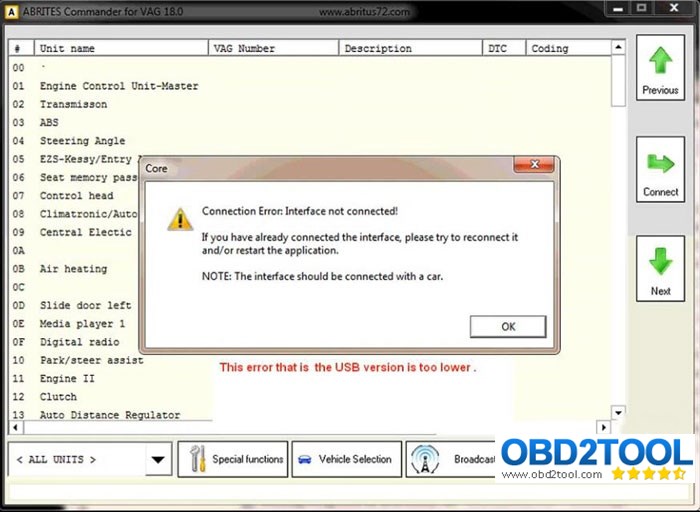
When install svci 2020 software on Win7 32bit system, it failed to load software and gave error:

“Connection Error: Interface not connected!

If you have already connected the interface, please try to reconnect it and restart the application.

The interface should be connected with a car. ”

Possible reason:

The usb driver is not compatible with windows system.

This problem will not occur if you install svci 2019 or svci 2020 software in win10 64bit professional.

The main reason is that the USB driver version is too low. By default, v2.12.28 version driver will be installed in the system, but this version driver cannot be successfully installed due to system reasons.

The solution is to update the USB drive v2.8.24 to v2.12.28.

Download link:

USB driver v2.12.28-x86

https://mega.nz/#!qOIjFAbS!3RGqKbM9wAxihMB44mNKC58DbNhL66O0GLDlFY8gbYE

USB driver v2.12.28-x64

https://mega.nz/#!6LozXIwC!3RGqKbM9wAxihMB44mNKC58DbNhL66O0GLDlFY8gbYE

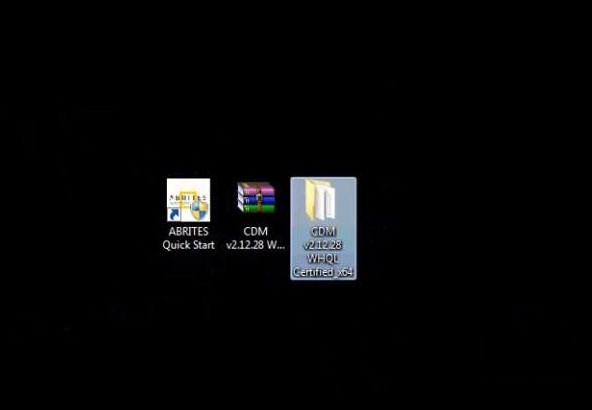
Download USB FTDI v2.12.28 driver above and extract to desktop

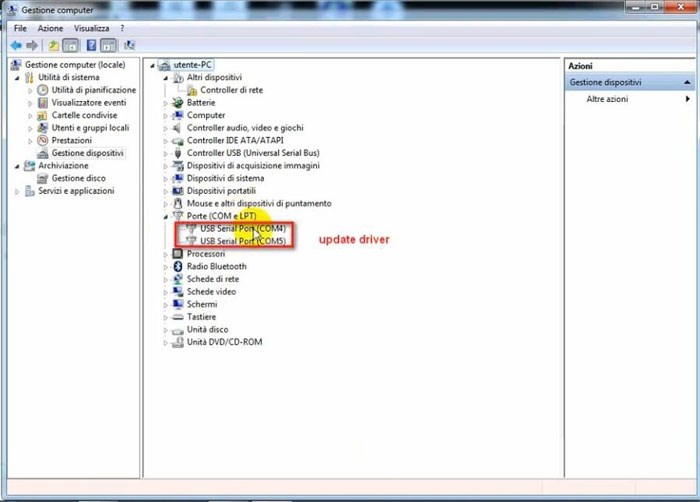
  1. Update USB Serial Port COM4 & COM5

Go to computer device manager to check USB driver version

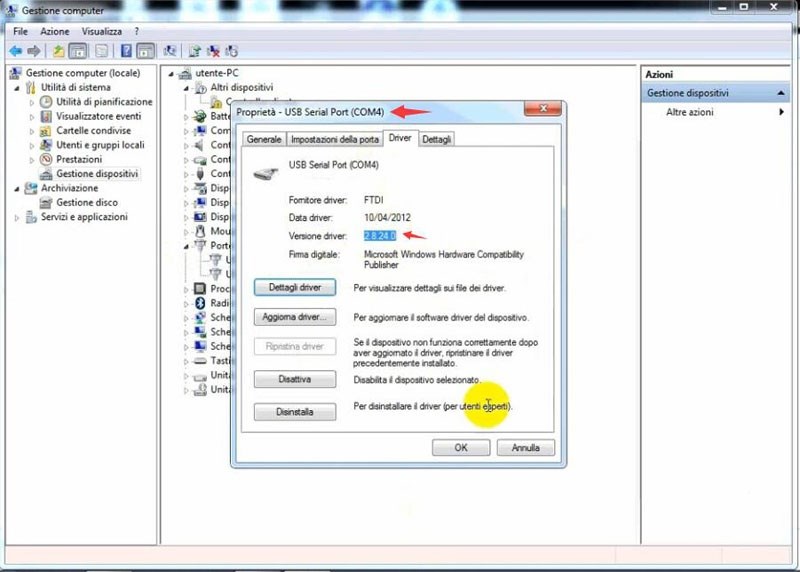
Right click on USB Serial Port COM4-Property

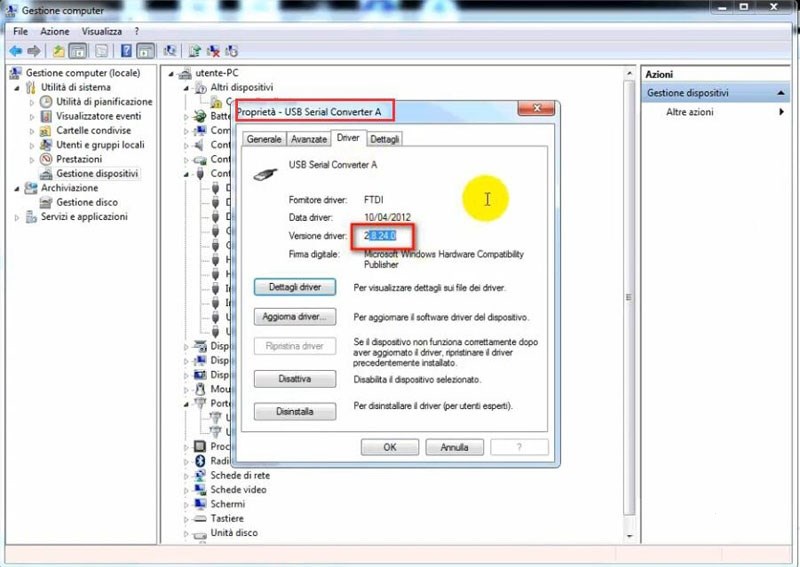
COM4 USB driver version is too low

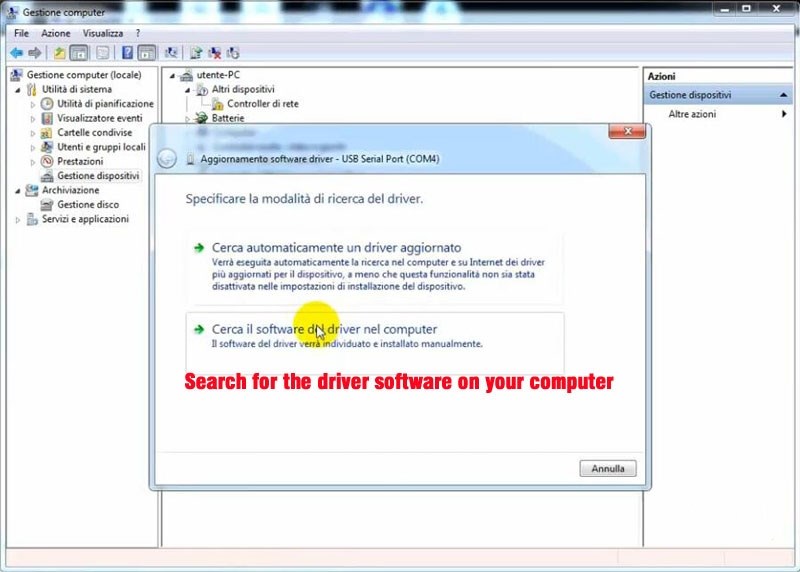
Right click COM4 to select Search for the driver software on your computer

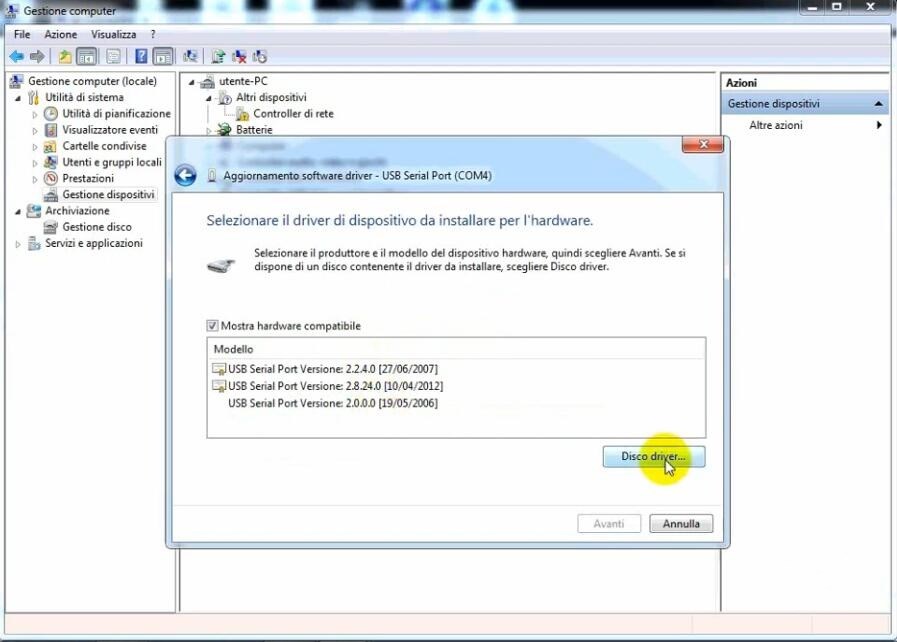
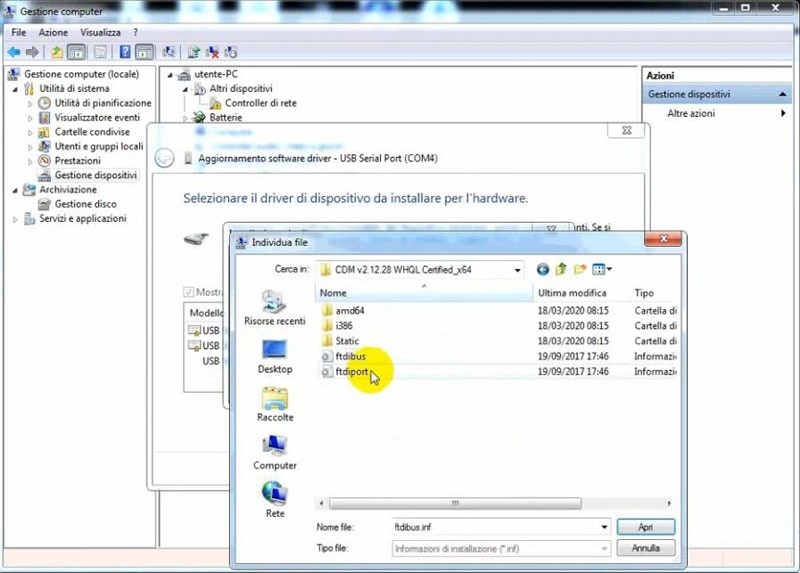
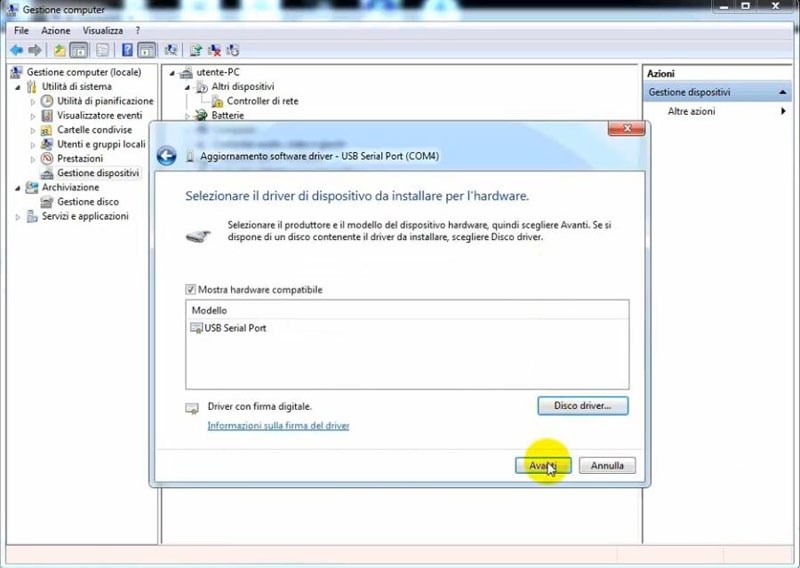
Choose driver software destination folder, replace COM4 FTDI driver in C:Users/Desktop/CDM v2.12.28 WHQL Certified_X64/ftdiport

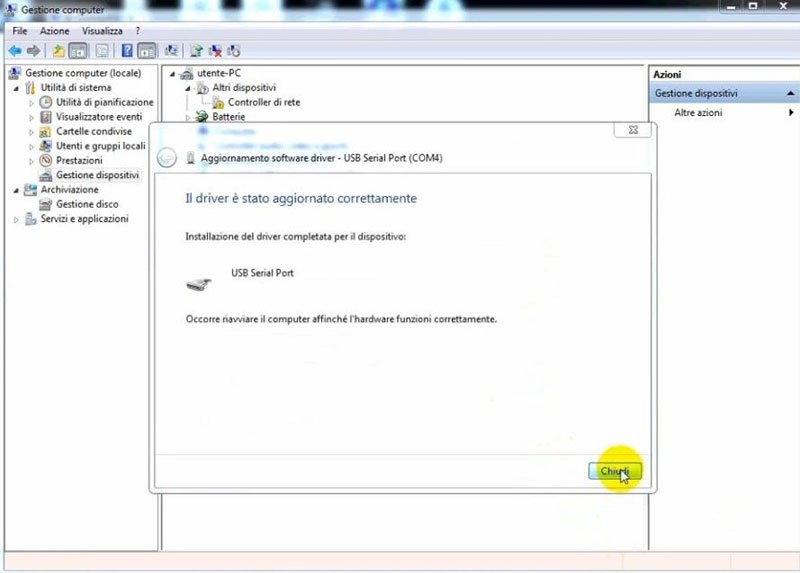
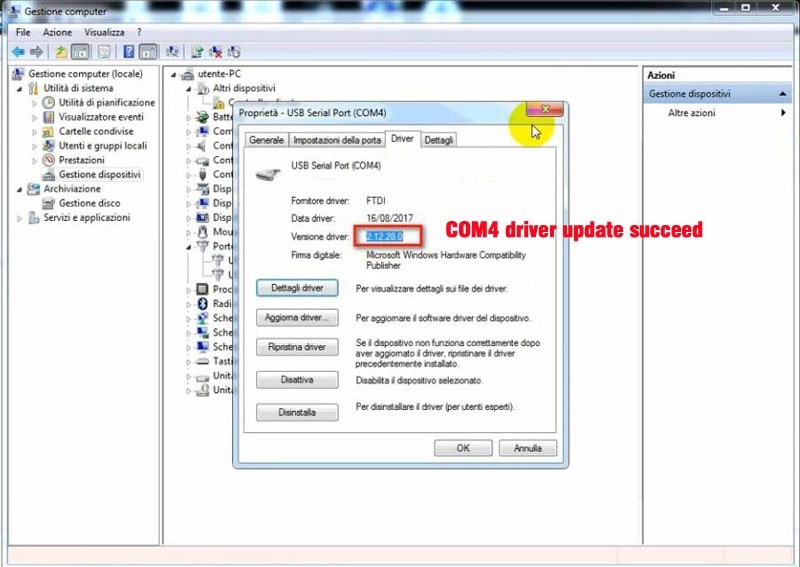
Update COM4 Port driver succeed

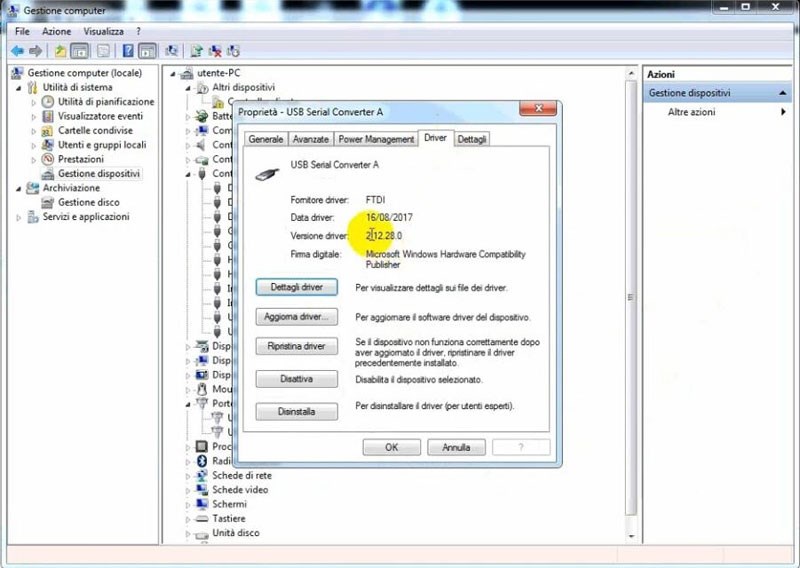
COM4 driver update to 2.12.28.0

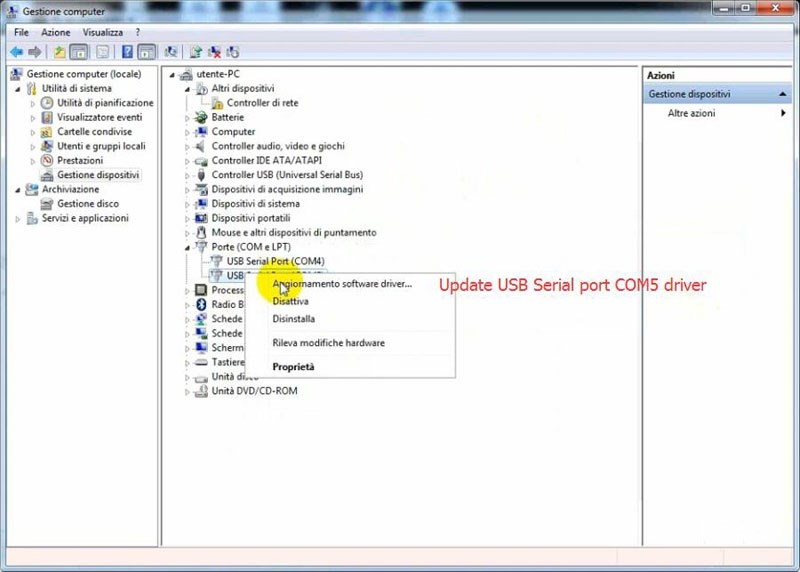
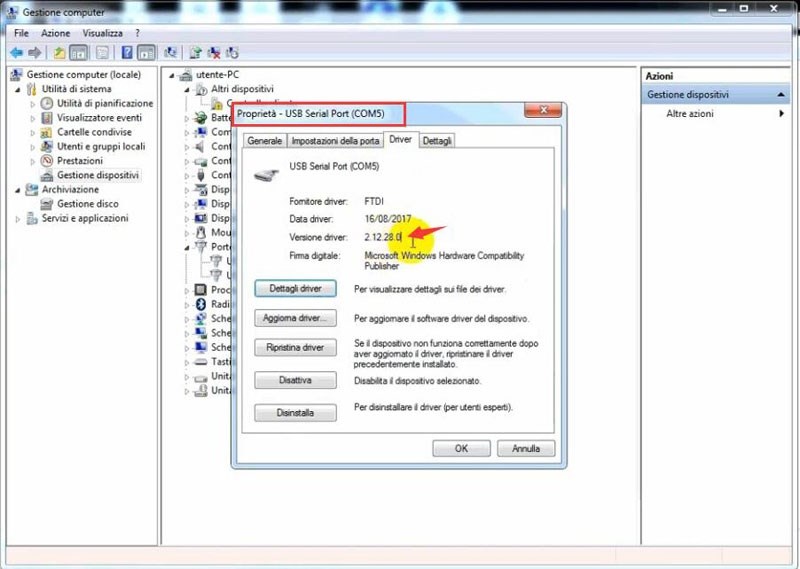
Follow same step to update COM5 USB driver

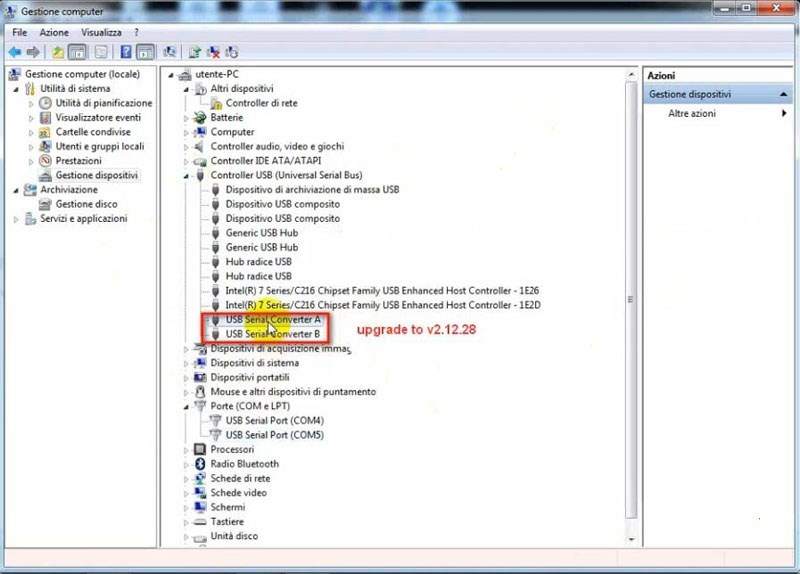
  1. Update USB Serial Converter A & B

In Device manager, we need also update Controller USB (Universal Serial Bus). Update USB Serial Converter A and USB Serial Converter B

USB Serial Converter A version is too low

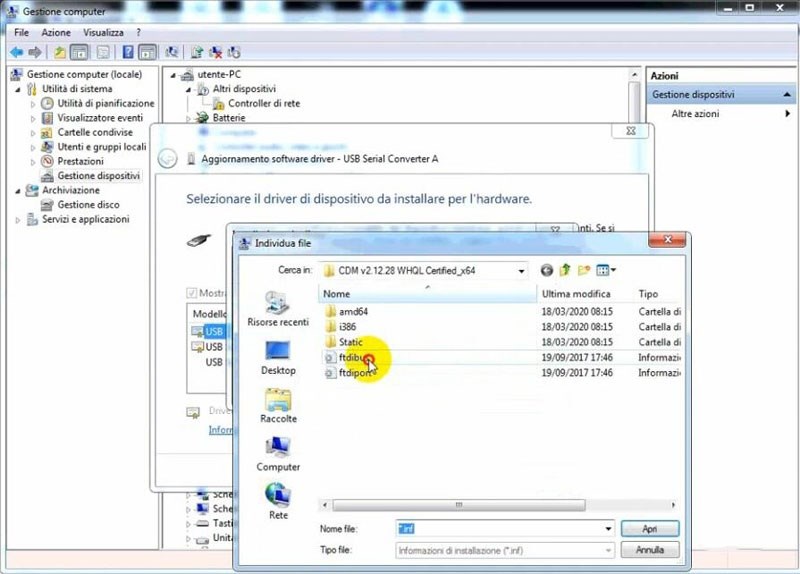
Right click to select Search for the driver software on your computer

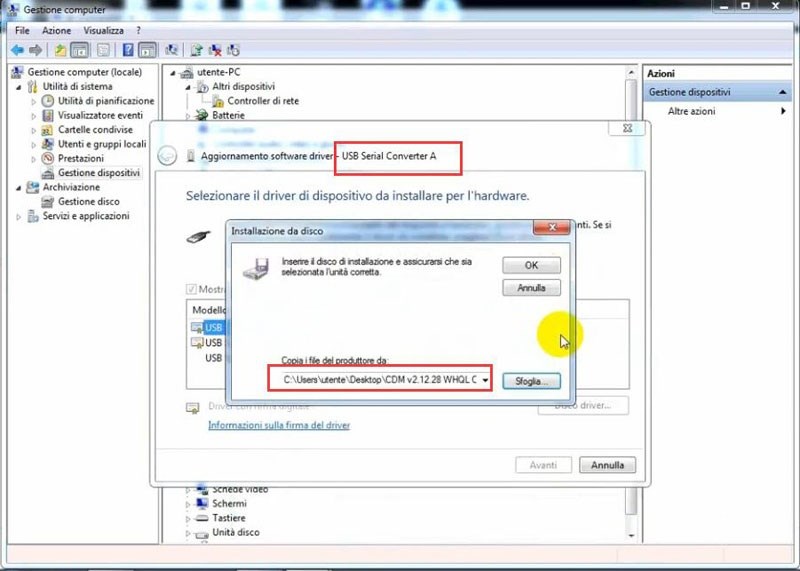
Choose to install and replace driver in C:Users/Desktop/CDM v2.12.28 WHQL Certified_X64/ftdibus

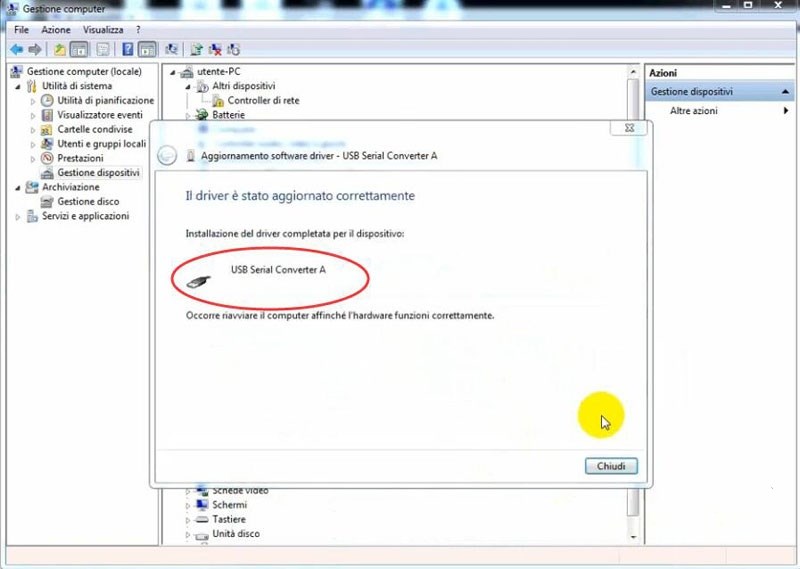
Update USB Serial Converter A driver succeed

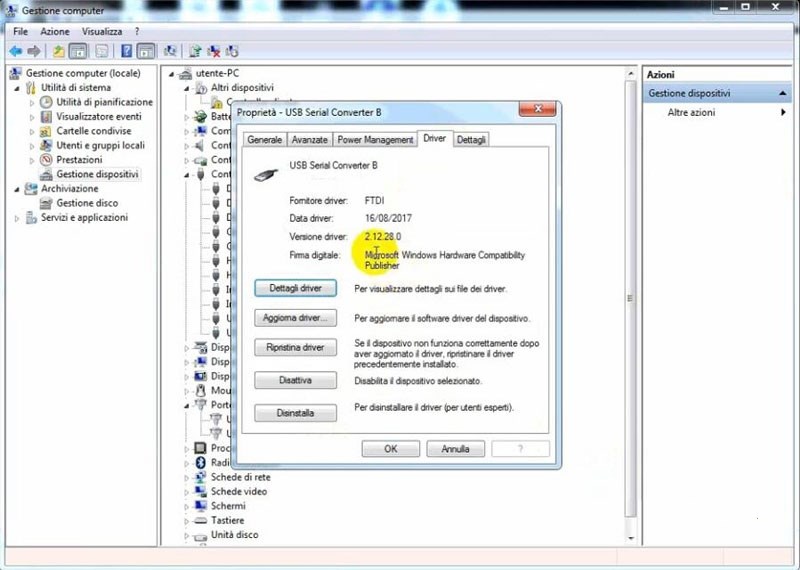
Follow same step to update USB Serial Converter B

Now SVCI 2020 software is ready to use.


https://www.obd2tool.com/blog/2020/04/03/how-to-solve-the-error-interface-not-connected-for-svci-2019-2020/

Wednesday, March 3, 2021

How to upgrade the firmware of SVCI 2020?

How to upgrade the firmware of SVCI 2020? In this post, you will find the answer.

Here are the steps:
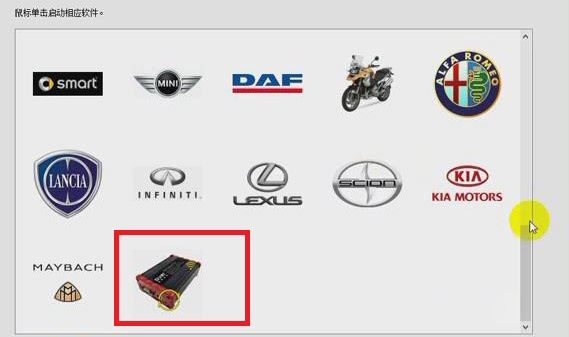
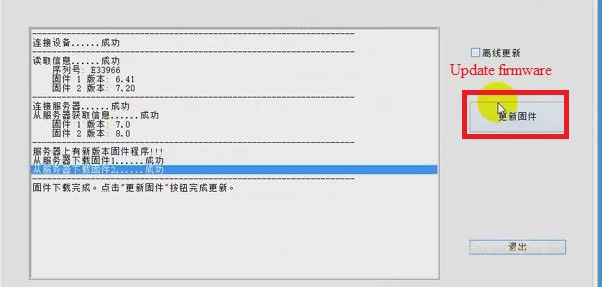
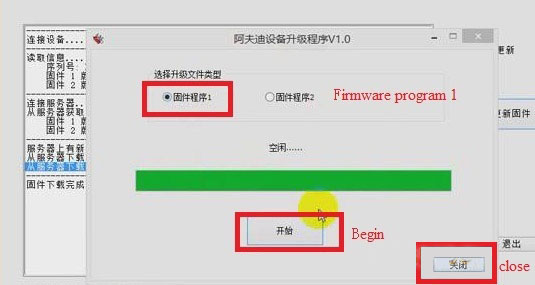
1.Click “SVCI 2020” button>> “Update firmware”.


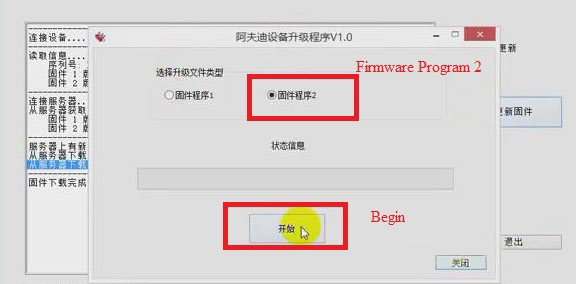
2.Choose “Firmware Program 2” and click “Begin”. Then Firmware Program 2 will be downloaded.

3.When the downloading of firmware program 2 is successful, click “Confirm”, and choose “Firmware program 1” and click “Begin”.Then firmware program 1 will be downloaded.

4.When the downloading of firmware program 1 is successful, click “Confirm”.
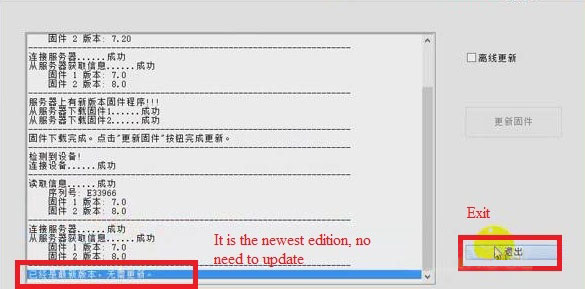
5.Click “Close”, now we can see that the firmware has been updated to the newest. Then click “Exit”.

Job is done!