Wednesday, November 24, 2021

SVCI 2020 Test On VW Touran 2008

This article is about to test this SVCI 2020/FVDI/Abrites, and I really want to see if this could allow us to turn off the immobilizer of VW Touran 2008.

General look
First just look at how many brands it has, and the last icon is a short firmware update.
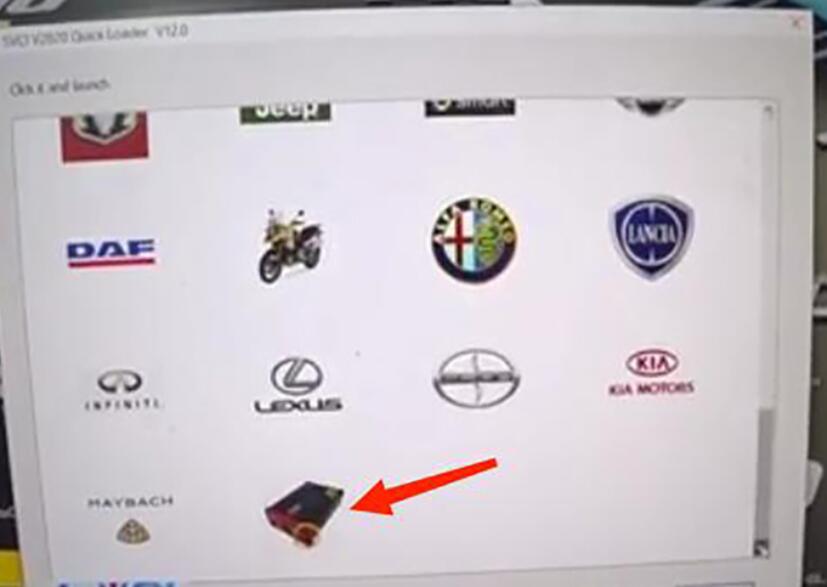
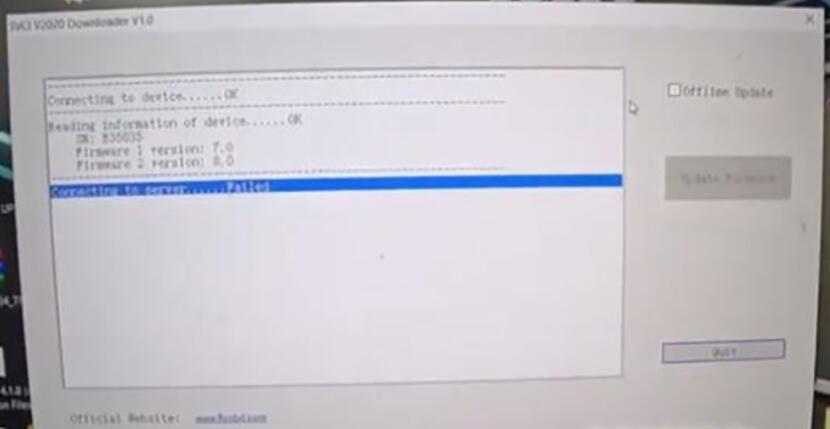
SVCI-2020-Test-On-VW-Touran-2008-1
SVCI-2020-Test-On-VW-Touran-2008-2

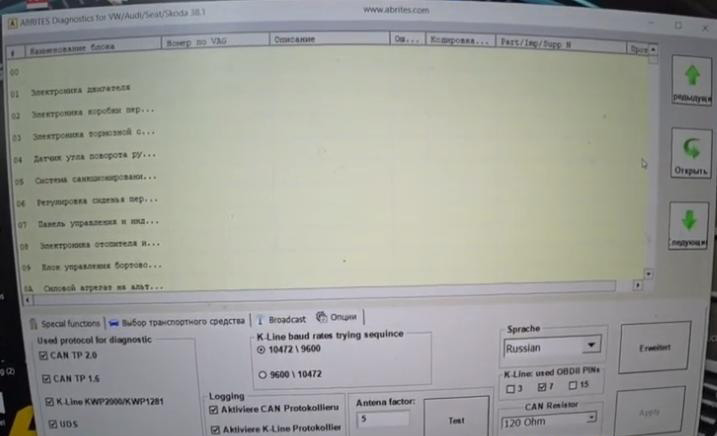
Enter “VAG” menu and select latest version 38.1.
Switch all to Russian to see if it allows Russian.
It made it.
SVCI-2020-Test-On-VW-Touran-2008-3

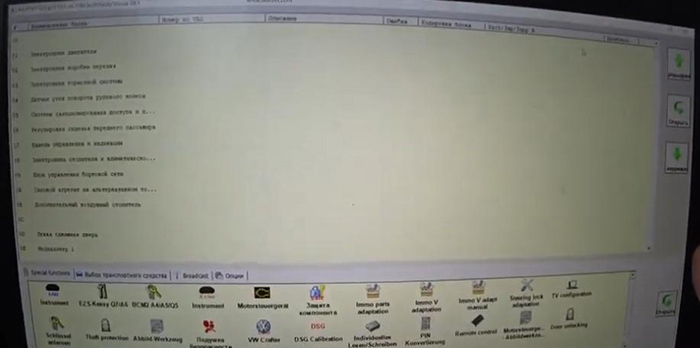
Also, see what special functions we have.
SVCI-2020-Test-On-VW-Touran-2008-4

ECM
Select “Engine Control Module”

SVCI-2020-Test-On-VW-Touran-2008-5

We can clone both engines, turn off the particulate filter, register an ECU.
Change the mileage, and you had an engine diagnosis.

Instrument
Now I want to try “Instrument” to read the immobilizer PIN code.
Select “VDO with NEC uC 2009+ (CAN UD S)”.
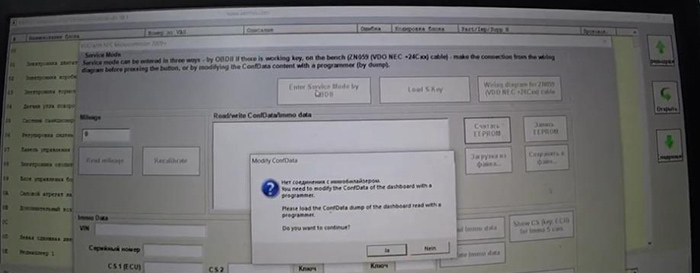
Click on “Enter Service Mode by OBDII”, and it asks us to load Conf data file.
We don’t have it, so exit the window, turn off and turn on, so the dashboard works again.
SVCI-2020-Test-On-VW-Touran-2008-6

There are diagrams on bench, and you can do it by soldering.
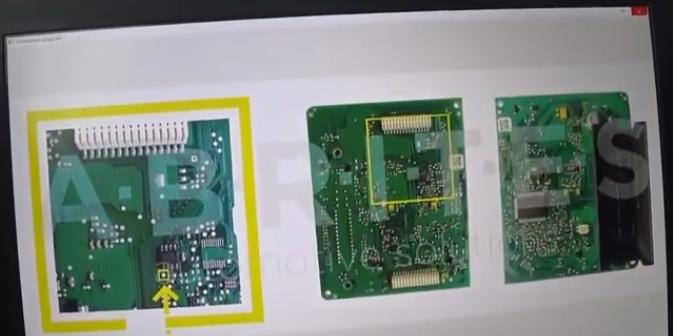
SVCI-2020-Test-On-VW-Touran-2008-7

Click on “Read EEPROM” and turn on/off by prompts until we get the result.
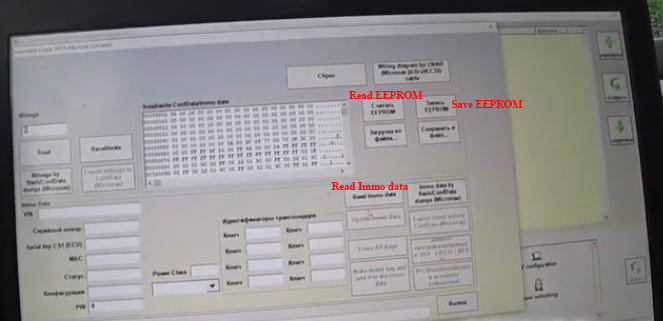
SVCI-2020-Test-On-VW-Touran-2008-8

Save EERPOM file. If I do anything wrong to make the dash die, I can fix it by the backup file.
Try “Read Immo data”.
Short PIN code, two keys written, all there.
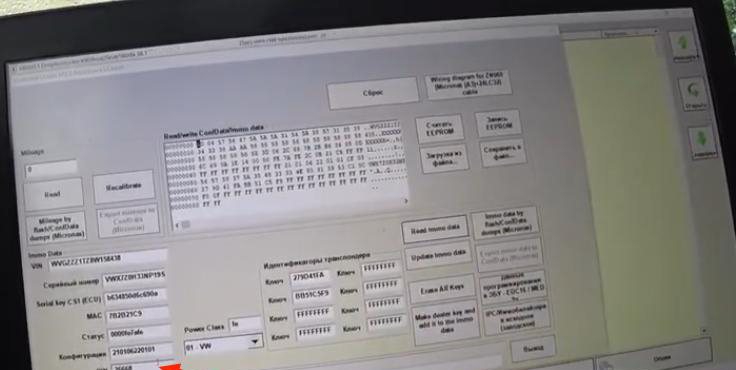
SVCI-2020-Test-On-VW-Touran-2008-9

Try to read mileage.
It fails because of DSG module.
But anyway, it made everything clear. Here is the 4th generation immobilizer.

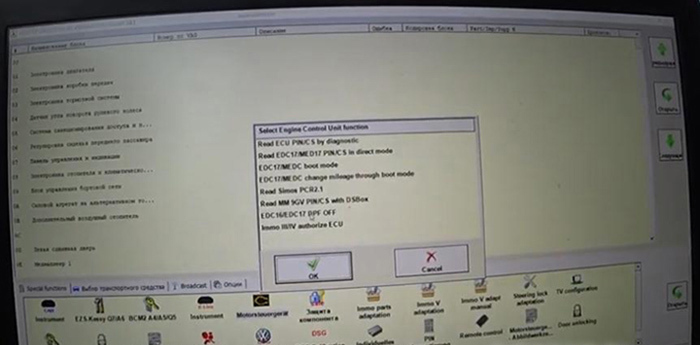
EDC/MED17 (IMMO OFF)
Then I want to enter EDC17 menu.
Try “IMMO III/IV authorize ECU”, but I don’t want to connect to ECU as it says. Not the entrance I want.
Go back to try version 18 of VAG.
This version may be with the device of 2014. No right.
Try version 24 of VAG. All connected. That’s it.
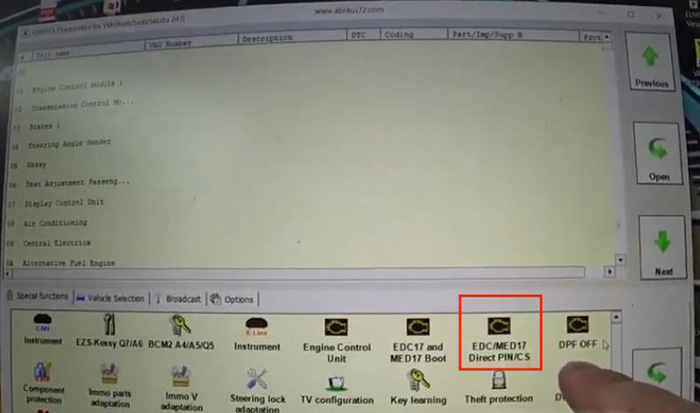
SVCI-2020-Test-On-VW-Touran-2008-10

Go into “Engine Control Unit”.
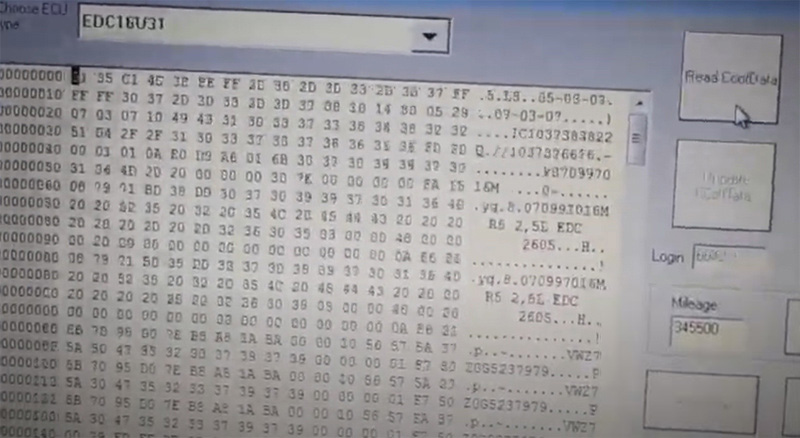
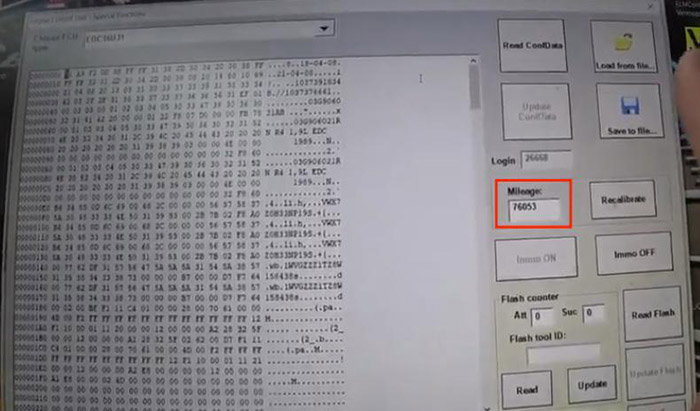
Click on “Read Conf Data”.
After several minutes, whole things are here.
SVCI-2020-Test-On-VW-Touran-2008-11

Mileage you see, 76053 in the engine.
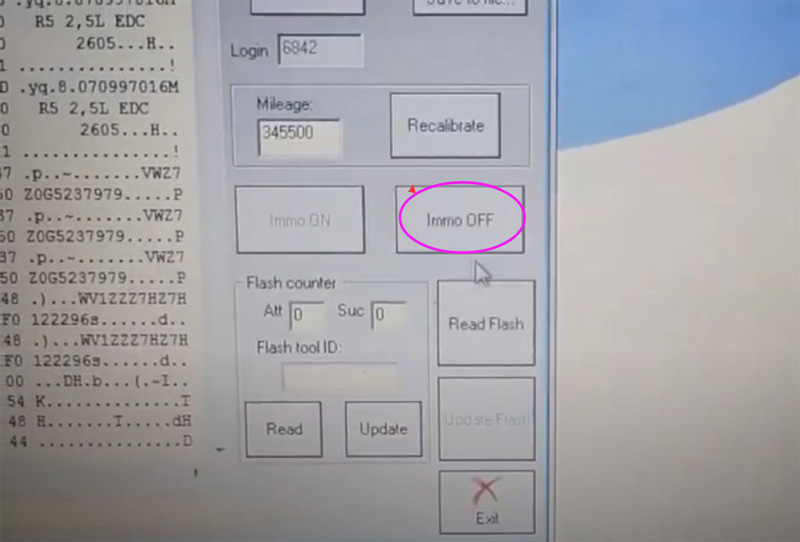
You can change the mileage record but the most important function is this immobilizer shutdown – “Immo OFF”.
If it happens that the dashboard get interrupted or disordered and the car won’t start, this function will save you.
General procedure is that you enter this menu, turn off the Immobilizer, and you are able to start the car and drive it.
Save Conf Data first.
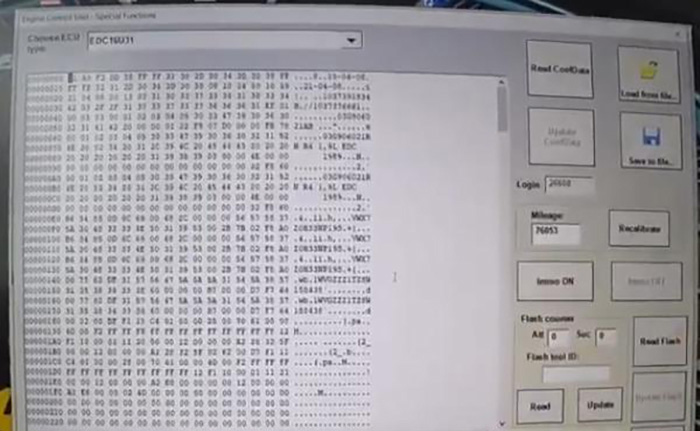
Then try to test “Immo OFF”.
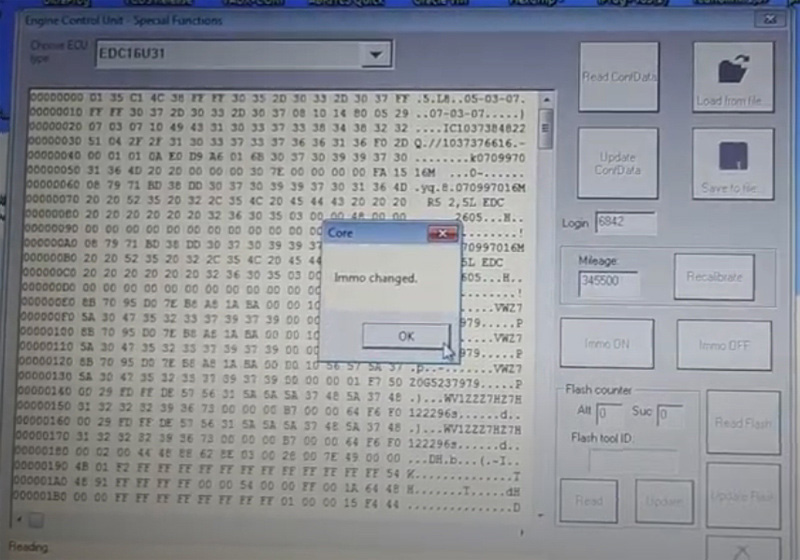
Follow the prompts. Turn on/off the ignition, press “OK”…
Immo OFF success.
SVCI-2020-Test-On-VW-Touran-2008-12

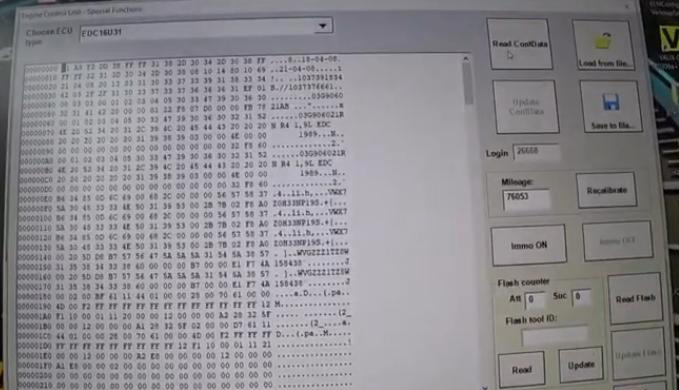
Now read Conf Data again.
See the engine won’t remove anything.
SVCI-2020-Test-On-VW-Touran-2008-13

We can disable the immobilizer without soldering anything.
Then try “Immo ON” to restore it.
So we know with this SVCI we can remotely disable DPF and Immobilizer without connection to them.

Airbag
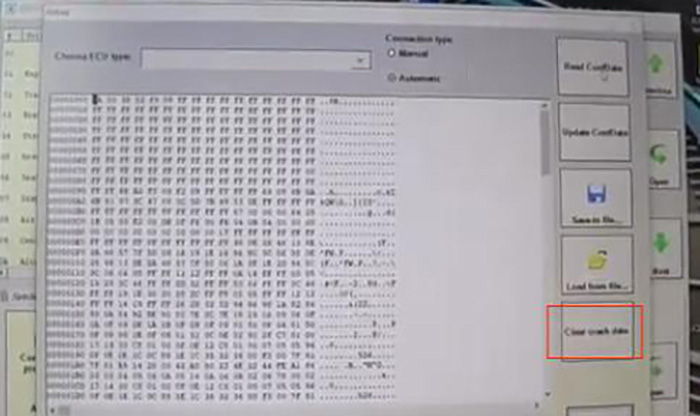
I have an airbag error on dash, so enter “Airbag” menu.
After everything is loaded, save the file.
Here is a button “Clear crash data”, which allows you to erase the accident record in this car.
SVCI-2020-Test-On-VW-Touran-2008-14

Door unlocking
On special function, we have “Door unlocking”.
Let me explain this. When someone lost all keys and managed to get into the car by, say breaking the glass, this function allows you to unlock all doors.
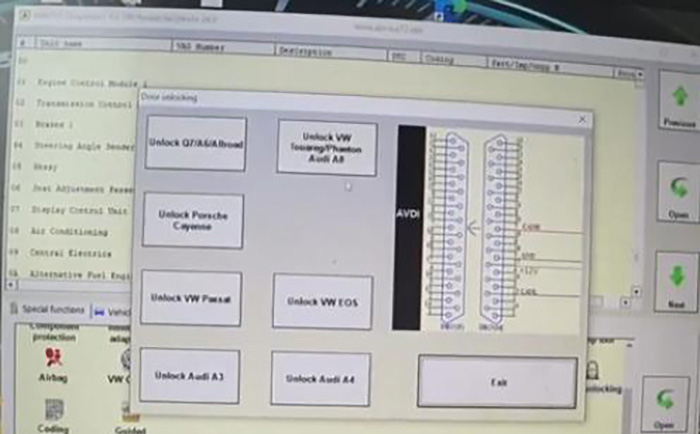
SVCI-2020-Test-On-VW-Touran-2008-15

Turn off the ignition and close all door, let’s try.
Try “Unlock VW Passat”, didn’t open.
Try “Unlock VW Touran”, didn’t open, don’t know why.
Try “Component protection”.
That’s another way to turn off or disable a component.
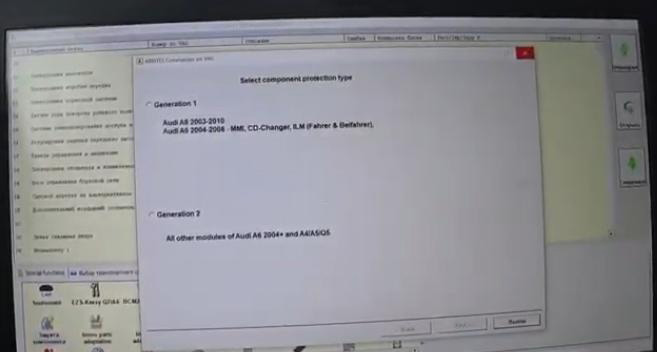
SVCI-2020-Test-On-VW-Touran-2008-16

Alright, for me the most important thing is the immo OFF function, and that’s things for this SVCI in car as much as I can show you.

More functions to be explored!

Tuesday, November 9, 2021

How to Program a Spare Key via AVDI for Renault Clio V

In this instruction, Obd2tool.com will show you guide on how to use AVDI diagnostics to do a spare key programming for Renault Clio V. More key programming cases, please refer to all keys lost programming .

How-to-Program-a-Spare-Key-via-AVDI-for-Renault-Clio-V-1
Software used:

RR022

AMS- Annual Maintenance Subscription

Hardware used:

AVDI – Abrites Vehicle Diagnostic Interface

CB012 Cable Set

Procedures:

Connecting AVDI to the OBD.

Starting the Renault Online software.

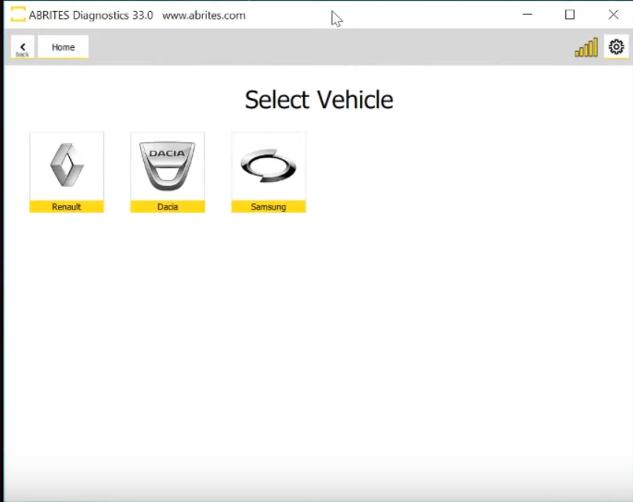
Active AMS and Internet connectivity are required for the procedure. Select the brand and continue with model selection.

How-to-Program-a-Spare-Key-via-AVDI-for-Renault-Clio-V-2

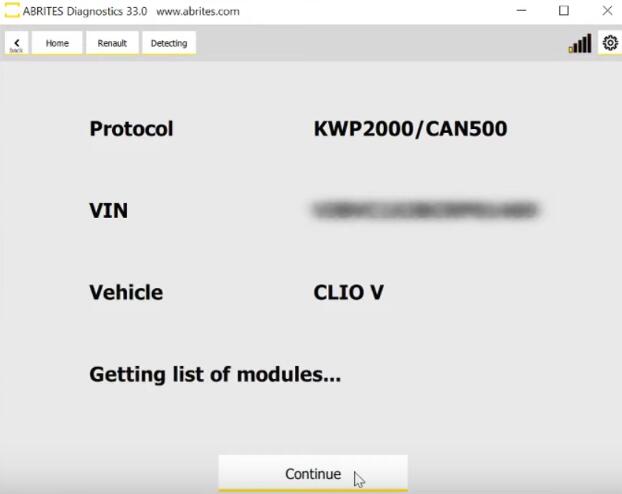
Click “Continue”

How-to-Program-a-Spare-Key-via-AVDI-for-Renault-Clio-V-3

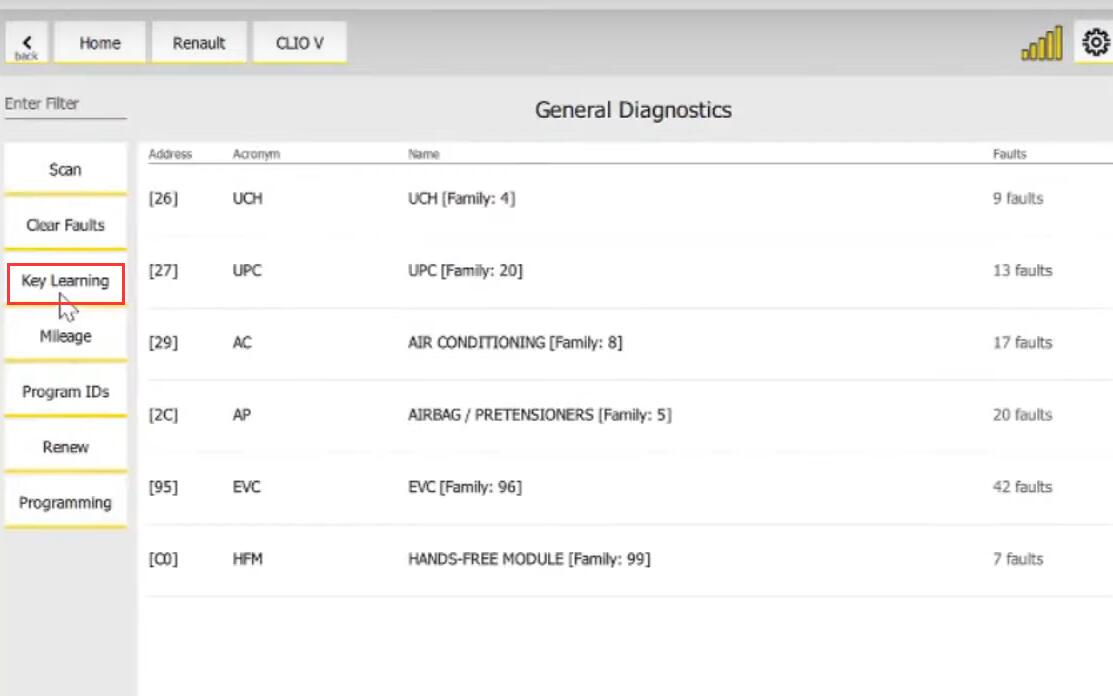
Click “Key Learning”

How-to-Program-a-Spare-Key-via-AVDI-for-Renault-Clio-V-4

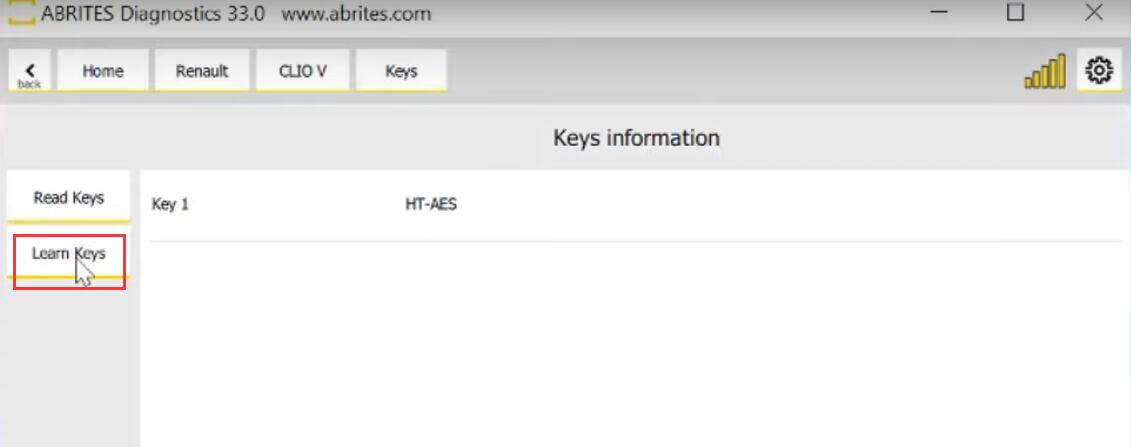
Click “Learn Keys”

How-to-Program-a-Spare-Key-via-AVDI-for-Renault-Clio-V-5

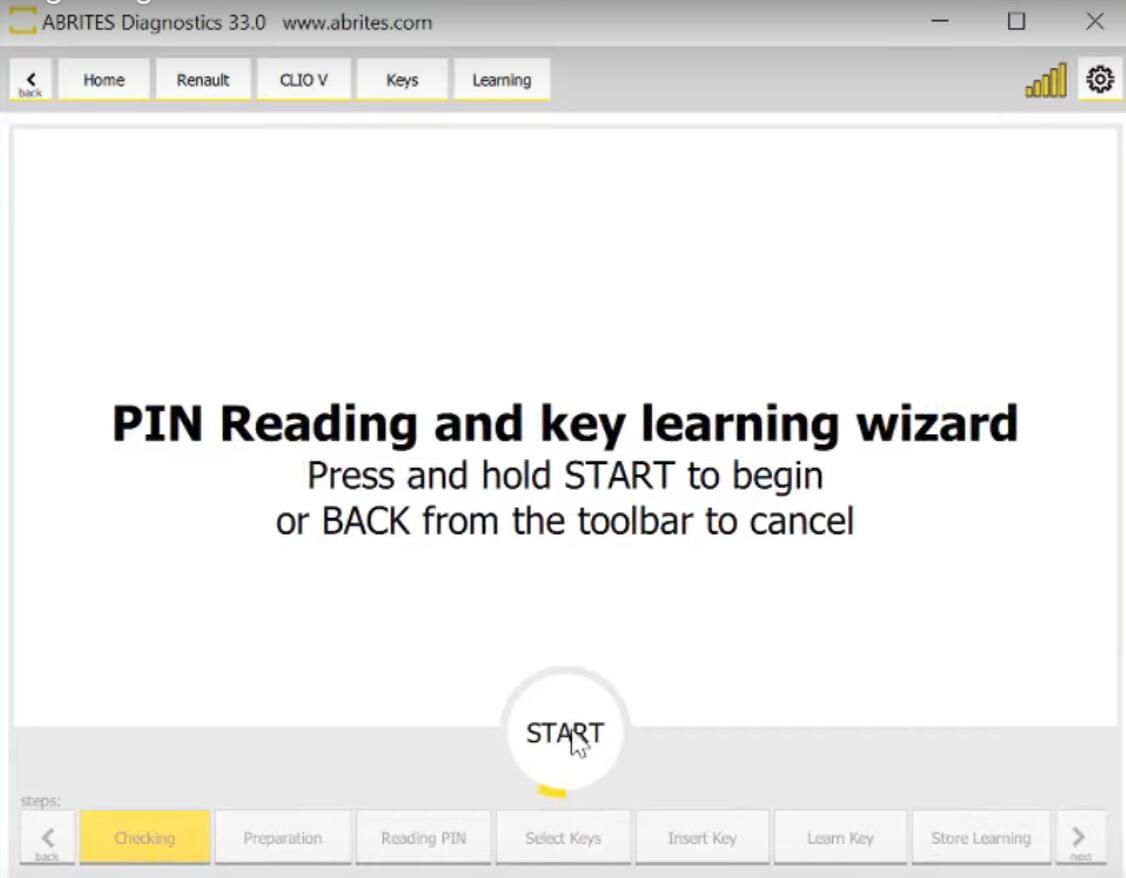
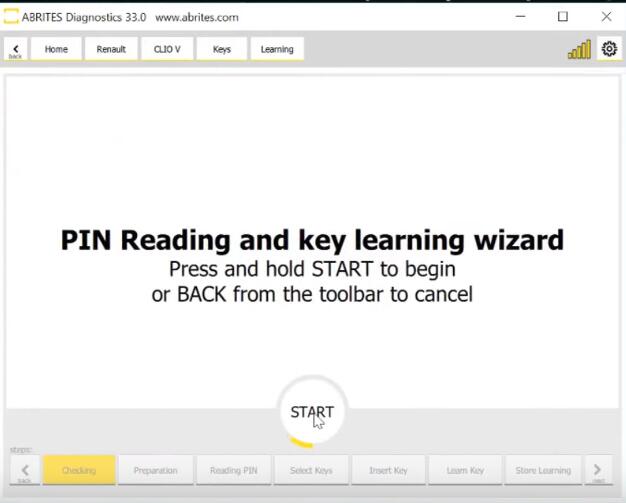
Press and hold “START” to begin or BACK from the toolbar to cancel

How-to-Program-a-Spare-Key-via-AVDI-for-Renault-Clio-V-6

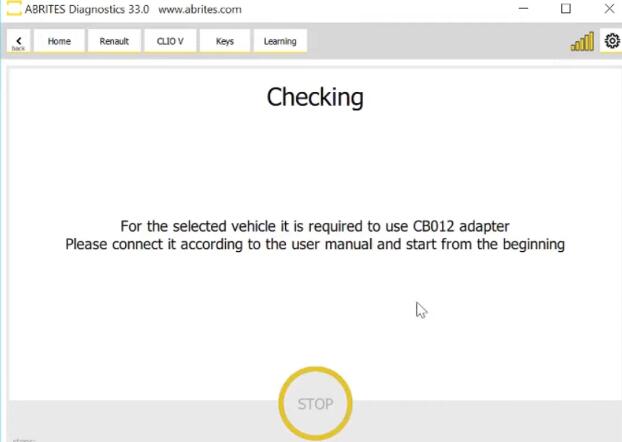
For the selected vehicle it is required to use CB012 adapter.Please connect it according to the user manual and start from the beginning.

How-to-Program-a-Spare-Key-via-AVDI-for-Renault-Clio-V-7

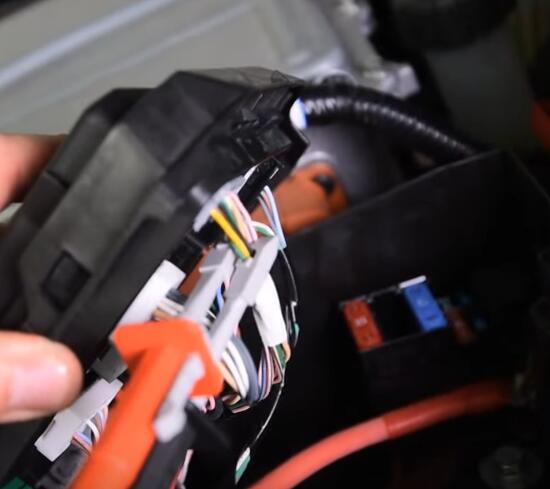
Connecting CB012 to the internal CAN BUS of the car and then to the AVDI.

How-to-Program-a-Spare-Key-via-AVDI-for-Renault-Clio-V-8

PIN 17 on the UPC module is CAN H(white cable)

PIN 5 on the UPC module is CAN L(green cable)

Restarting the procedure from the model selection step. Select vehicle model, continue and then click “Key learning”, Press and hold “START”

How-to-Program-a-Spare-Key-via-AVDI-for-Renault-Clio-V-9

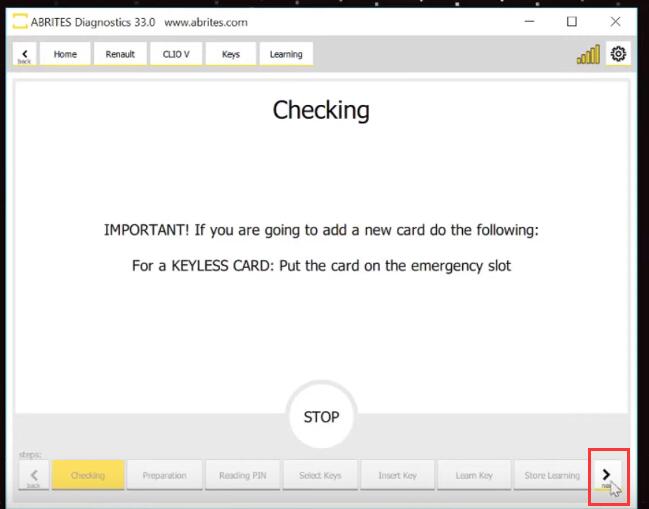
Important! If you are going to add a new card do the following:

For a KEYLESS CARD: Put the card on the emergency slot. Click arrow on the right down side.

How-to-Program-a-Spare-Key-via-AVDI-for-Renault-Clio-V-10

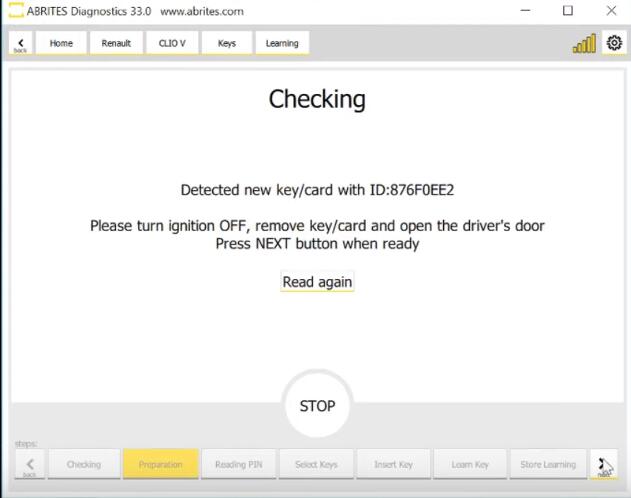
Read following carefully, then click arrow

How-to-Program-a-Spare-Key-via-AVDI-for-Renault-Clio-V-11

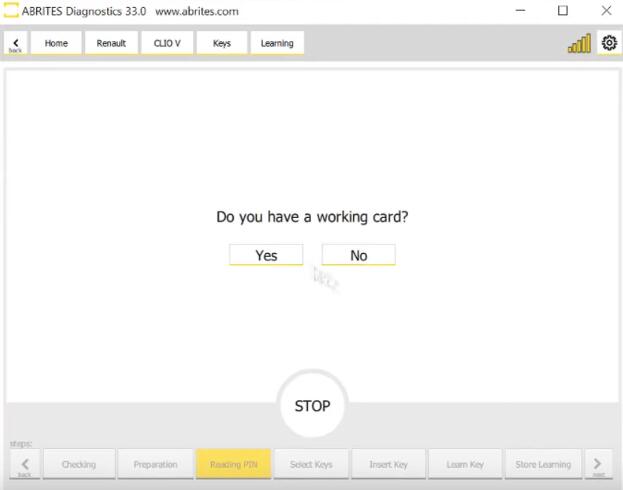
Waiting for PIN reading, the procedure takes 3minutes.Click “Yes”

How-to-Program-a-Spare-Key-via-AVDI-for-Renault-Clio-V-12

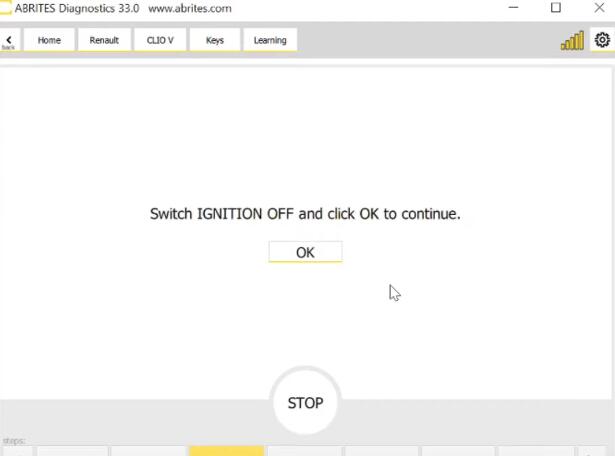
Switch IGNITION OFF and click OK to continue.

How-to-Program-a-Spare-Key-via-AVDI-for-Renault-Clio-V-13

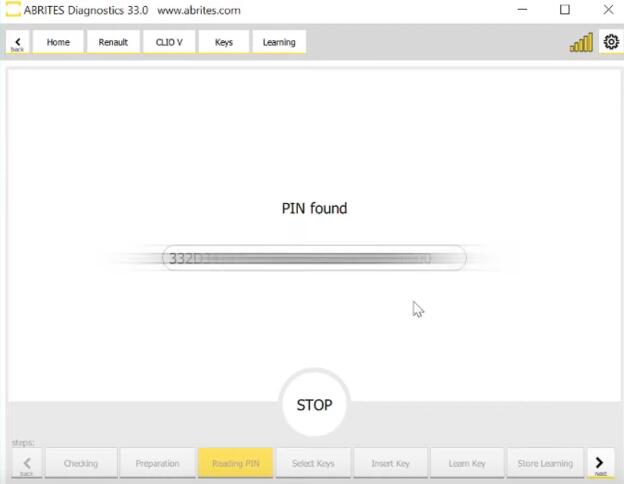
Until the PIN is founded.

How-to-Program-a-Spare-Key-via-AVDI-for-Renault-Clio-V-14

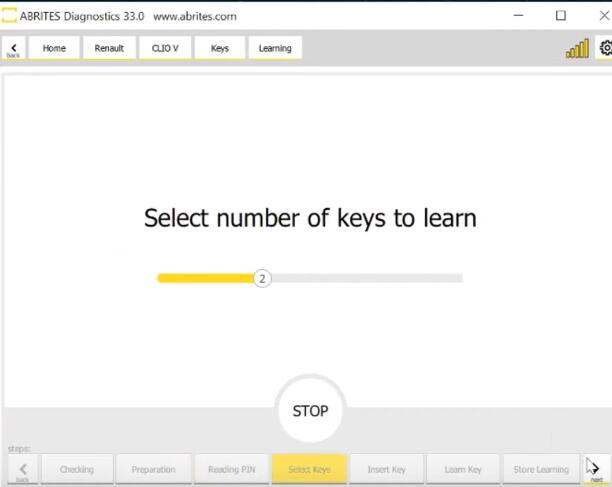
Select number of keys to learn, click arrow

How-to-Program-a-Spare-Key-via-AVDI-for-Renault-Clio-V-15

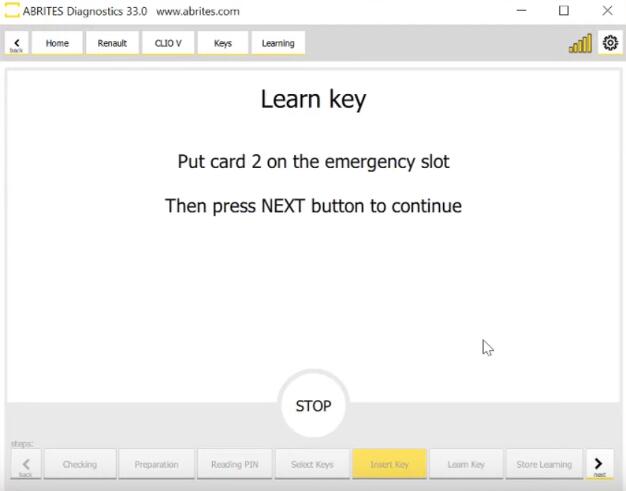
Holding the card near the emergency slot will learn it.

How-to-Program-a-Spare-Key-via-AVDI-for-Renault-Clio-V-16

Both the new and the working card need to be learned.

How-to-Program-a-Spare-Key-via-AVDI-for-Renault-Clio-V-17

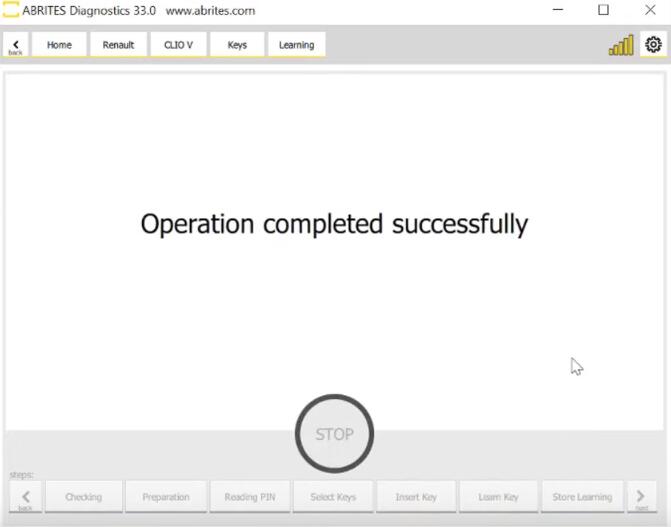
The procedure has completed, time to check if the new card is starting the car.

More repair cases about Renault, please click to Renault Repair Cases.

Friday, November 5, 2021

FLYOBD SVCI 2020 “Target unit does not respond” Solution


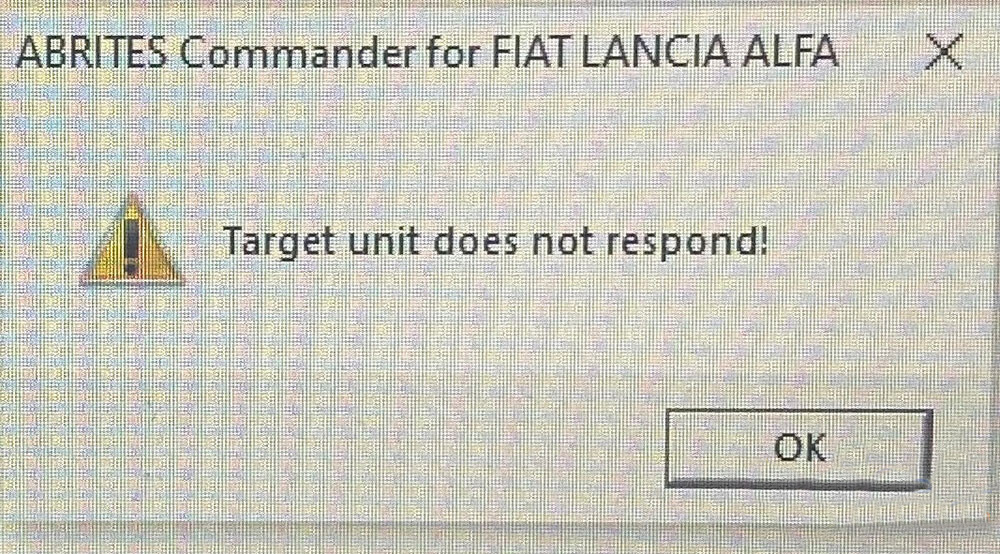
About a year ago I bought a used SVCI 2020, everything worked fine, all functions until one day when you try to connect or use special functions after trying to connect you get the message: target device does not answer. Both CAN and K-Line do not work. While the key fob works perfectly, transponders and so on can be cloned.

FLYOBD-SVCI-2020-“Target-unit-does-not-respond”-Solution

Possible reason:

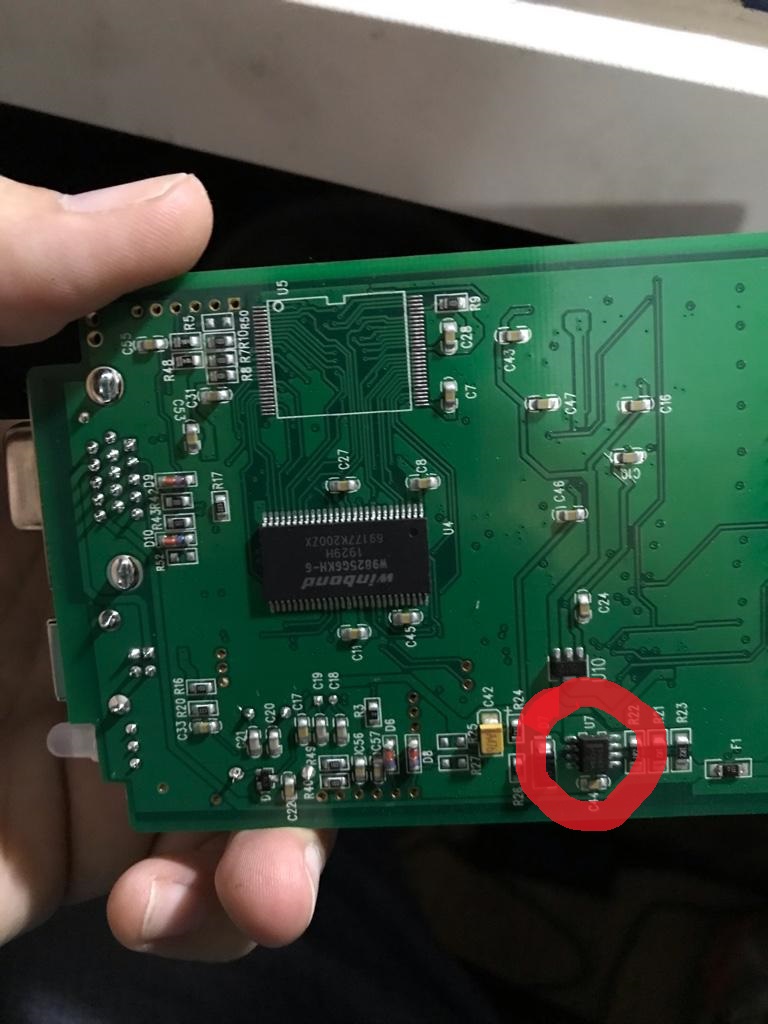
When You connect to the car that has the power supply only on OBD pin 16, than the SVCI will work for long time. But some cars have additional ignition supply, sometimes on pin 8, sometimes on pin 1. In other cars pin 1 or pin 8 is k-line for some modules. And there is no hardware protection that will disconnect signal lines when You connect the OBD to car with additional power supply. It can just fry the CPU inside and then it’s not connecting.

What to do next?

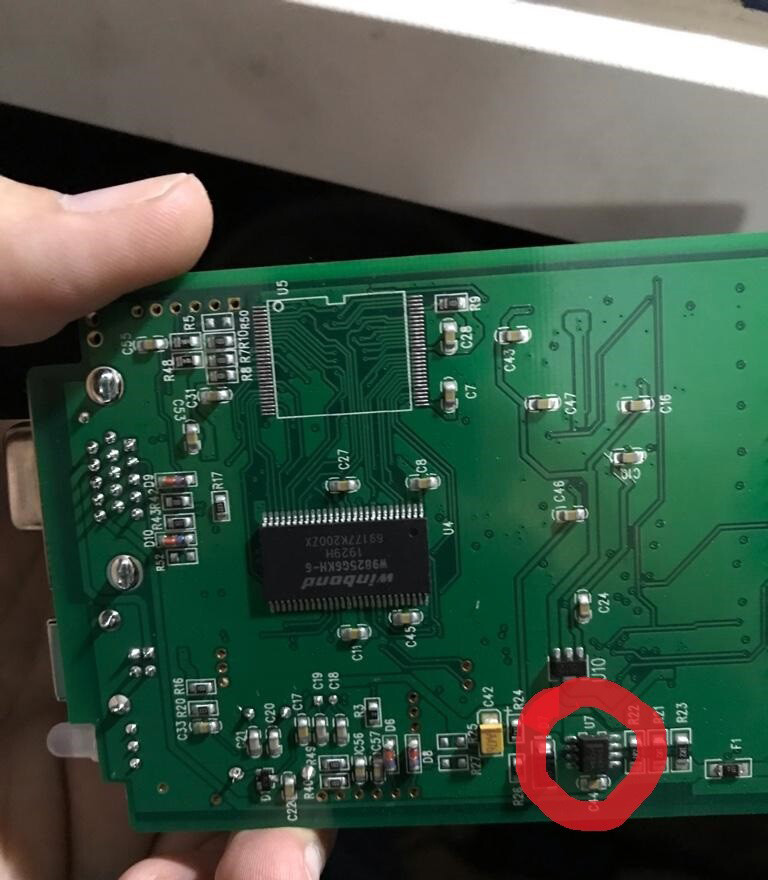
Check and replace 8pin voltage regulator on the backside of the pcb board near fuse. This is common issue with svci device and always no communication via can problem.

You can use mc33063 or mc34063:

FLYOBD-SVCI-2020-“Target-unit-does-not-respond”-Solution-1

Feedback:

Thanks for the info the SVCI 2020 is working again.

Wednesday, October 27, 2021

How to solve SVCI 2020 “Target unit does not respond” Error

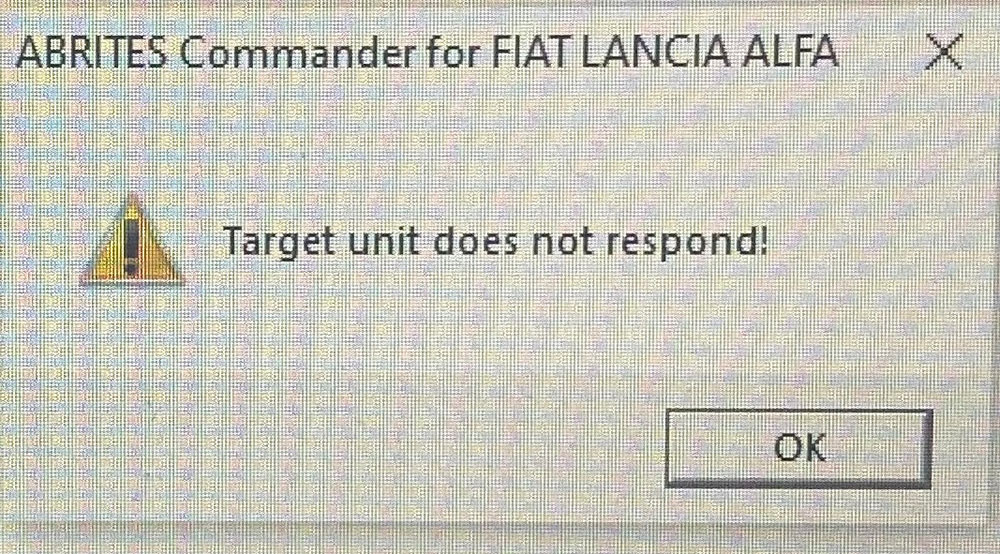
SVCI 2020 “Target unit does not respond” Error, How to solve? Use SVCI 2020 connect to anything or use any special functions after it tries to connect it gives the message: Target unit does not respond. Both CAN and K Line doesn’t work. While the key tag works perfectly cloning transponders and whatnot.

How-to-solve-SVCI-2020-“Target-unit-does-not-respond”-Error-1

Possible reason:

When You connect to the car that has the power supply only on OBD pin 16, than the SVCI will work for long time. But some cars have additional ignition supply, sometimes on pin 8, sometimes on pin 1. In other cars pin 1 or pin 8 is k-line for some modules. And there is no hardware protection that will disconnect signal lines when You connect the OBD to car with additional power supply. It can just fry the CPU inside and then it’s not connecting.

What to do next?

Check and replace 8pin voltage regulator on the backside of the pcb board near fuse. This is common issue with svci device and always no communication via can problem.

You can use mc33063 or mc34063:

How-to-solve-SVCI-2020-“Target-unit-does-not-respond”-Error-2

Feedback:

Thanks for the info the SVCI 2020 is working again.

Monday, October 25, 2021

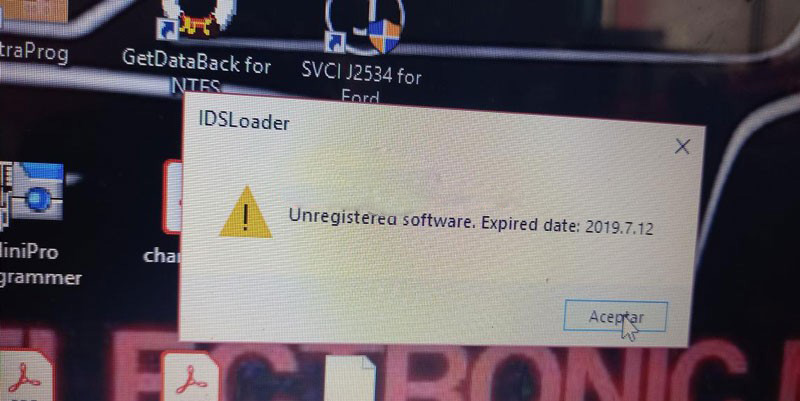
Solution SVCI J2534 “Unregistered Software. Expired Date” Issue


Problem

SVCI J2534 soware suddenly comes up a warning during the period of use. It is said: “Unregistered software. Expired date: 2019.7.12”.

What’s the matter? Please help me.

Solution-SVCI-J2534-“Unregistered-Software.-Expired-Date”-Issue

Solution

The reason for this issue is because of the software version. Please download and install the latest software below.

SVCI J2534 ford V1.2.3.1

https://mega.nz/file/arQXDKCC#J-XdV-kJGbNKeNCZzX83VApjhh-CTLdUFtnl54WulvQ

IDS 123

https://mega.nz/file/ruYj3IIY#7vcjp7c_DnRB5tMS1MJJQoo5L5xY32JufSk9Q8VawJM

SVCI J2534 VCI V1.0.0.0

https://mega.nz/#!anBG3CZa!SyersJzW3BA_FLFuBBK-hFU2JwGNvuPuWhxrT6QZWsk

Updates

Thanks to the engineer, the expired problem was solved!
Monday, August 2, 2021

SVCI 2020 VAG EDC16U31 Immo Off


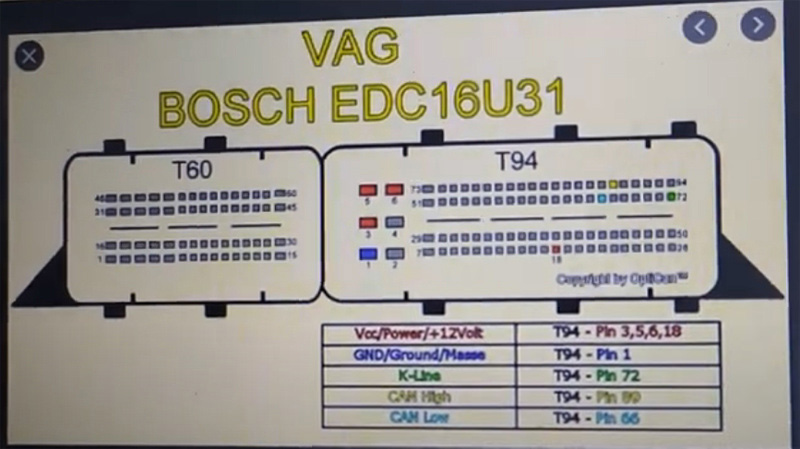
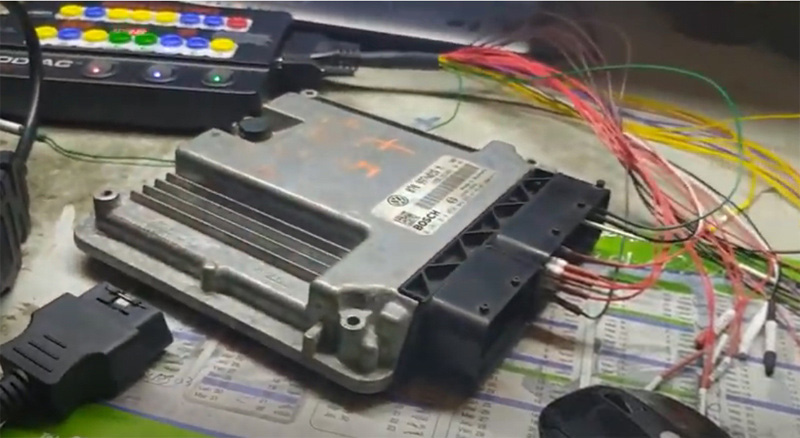
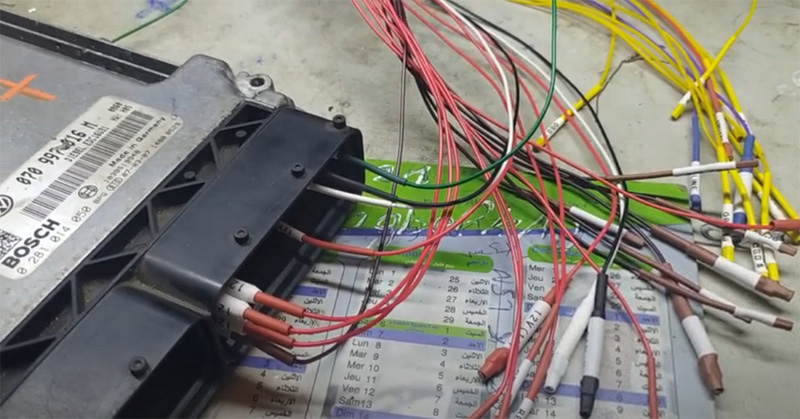
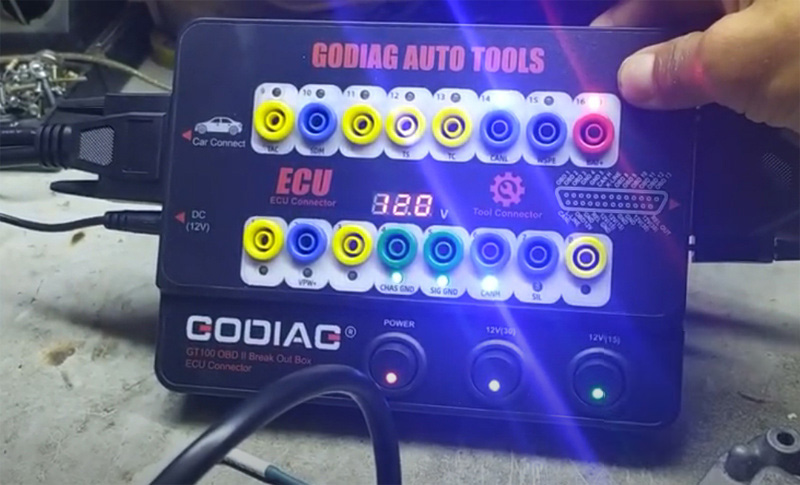
FVDI 2020 (SVCI 2020) or FVDI 2018 full has VAG V21.0/V38.1 software activated with specifial functions.  Here we test it on VAG EDC16U31 ECU Immo off together with the Godiag GT100 breakout box.

SVCI-2020-VAG-EDC16U31-Immo-Off-1

SVCI-2020-VAG-EDC16U31-Immo-Off-2

SVCI-2020-VAG-EDC16U31-Immo-Off-3
SVCI-2020-VAG-EDC16U31-Immo-Off-4

Follow wiring diagram to connect SVCI, GT100 and ECU

Keep voltage 12v+
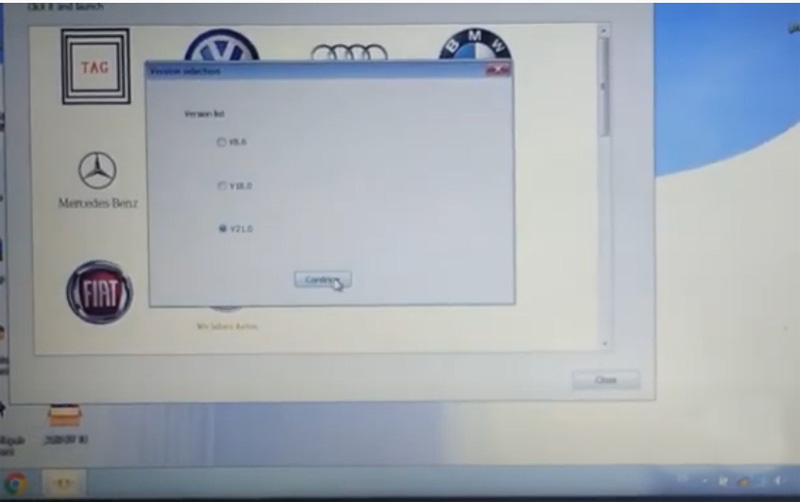
Run SVCI software– VAG software- V21.0

SVCI-2020-VAG-EDC16U31-Immo-Off-5
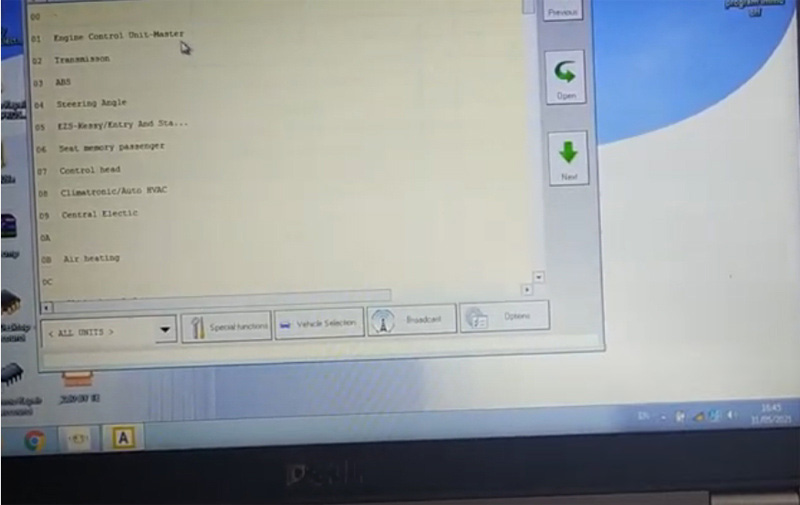
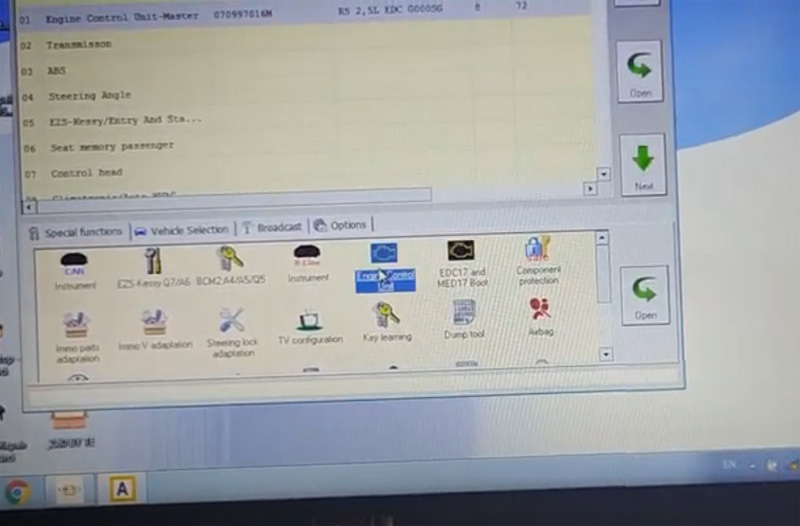
Select Engine Control Unit

SVCI-2020-VAG-EDC16U31-Immo-Off-6

SVCI-2020-VAG-EDC16U31-Immo-Off-7

Identify controol unit infomarion
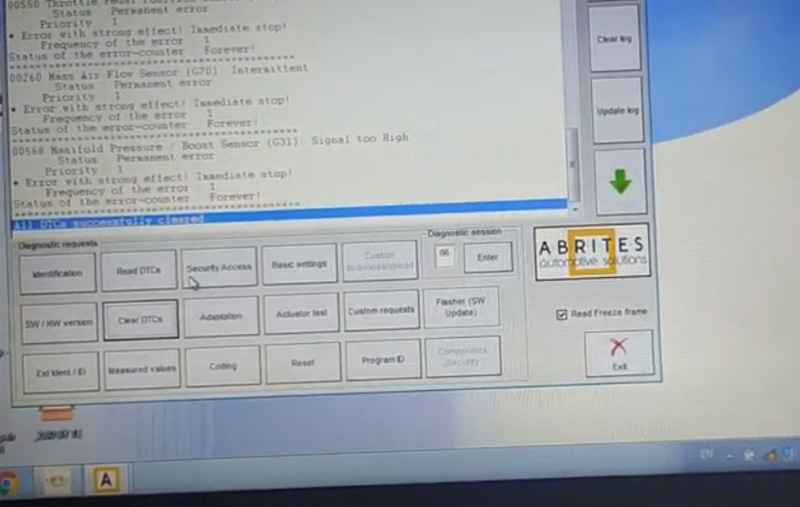
First read and clear DTC, then reset
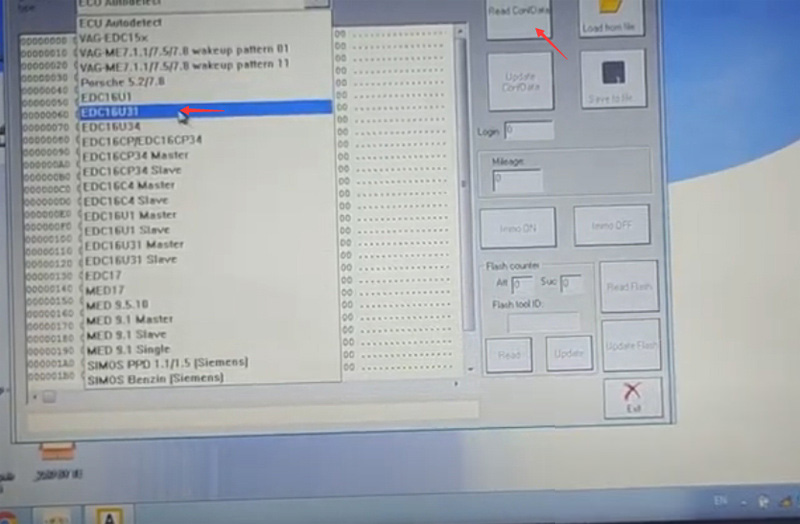
Go to Special Functions- Engine Control Unit- EDC16U31 – Read data

SVCI-2020-VAG-EDC16U31-Immo-Off-8

SVCI-2020-VAG-EDC16U31-Immo-Off-9

SVCI-2020-VAG-EDC16U31-Immo-Off-10

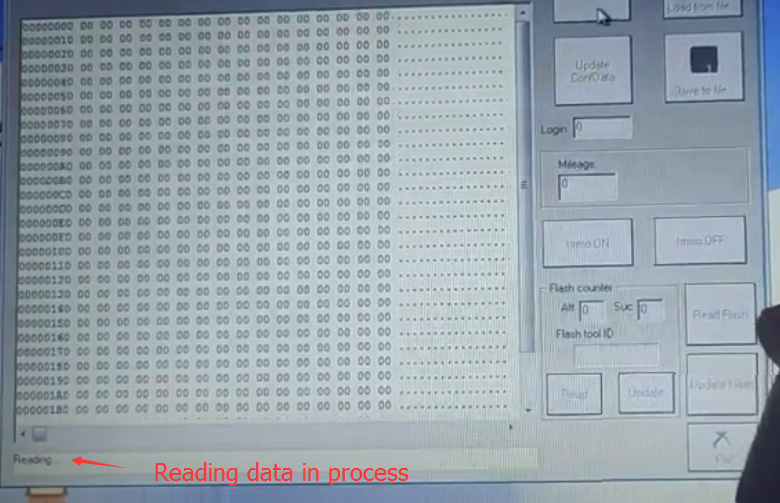
Read data succes

SVCI-2020-VAG-EDC16U31-Immo-Off-11

SVCI-2020-VAG-EDC16U31-Immo-Off-12

press IMMO Off

Turn ignition OFF within 3 sec
Turn on ignition
Turn ignition OFF
Turn on ignition

SVCI-2020-VAG-EDC16U31-Immo-Off-13
Immo changed
Turn ignition OFF
Turn on ignition

SVCI-2020-VAG-EDC16U31-Immo-Off-14

Immo status has been changed.